Azure APIM v2 vs Classic: What Changed and What Breaks
In this article
- What Actually Changed
- The Networking Model Changed Completely
- Features That Are Missing or Different
- What Breaks in Terraform
- A Practical Migration Approach
- 1. Inventory and Impact Assessment
- 2. Parallel Deployment
- 3. Traffic Cutover
- 4. Update Your IaC
- Common Pitfalls We See
- Should You Migrate Now?
- The Bottom Line
If you manage APIs on Azure, you have probably seen the writing on the wall. Microsoft is moving API Management to a new platform - and the classic Developer, Basic, Standard, and Premium tiers are on the way out. The new StandardV2 and BasicV2 tiers promise faster provisioning, better scaling, and a simplified networking model.
That all sounds great on paper. In practice, the migration from classic to v2 isn’t a simple SKU swap. There are meaningful differences in networking, feature availability, and Terraform resource behaviour that can break your infrastructure if you aren’t prepared.
We have migrated several enterprise APIM instances to v2 over the past year. Here is what we learned.
What Actually Changed
The v2 tiers aren’t just a pricing refresh. Microsoft rebuilt the underlying compute platform. A StandardV2 instance deploys in minutes instead of the 30-45 minutes you are used to with classic Premium. Scale units are gone, replaced by a more granular capacity model. VNet integration replaces the old VNet injection approach. And availability zone support comes built into StandardV2 without requiring Premium pricing.
Genuine improvements across the board. But the details matter.
Azure docs: APIM v2 tier overview · Compare APIM tiers
The Networking Model Changed Completely
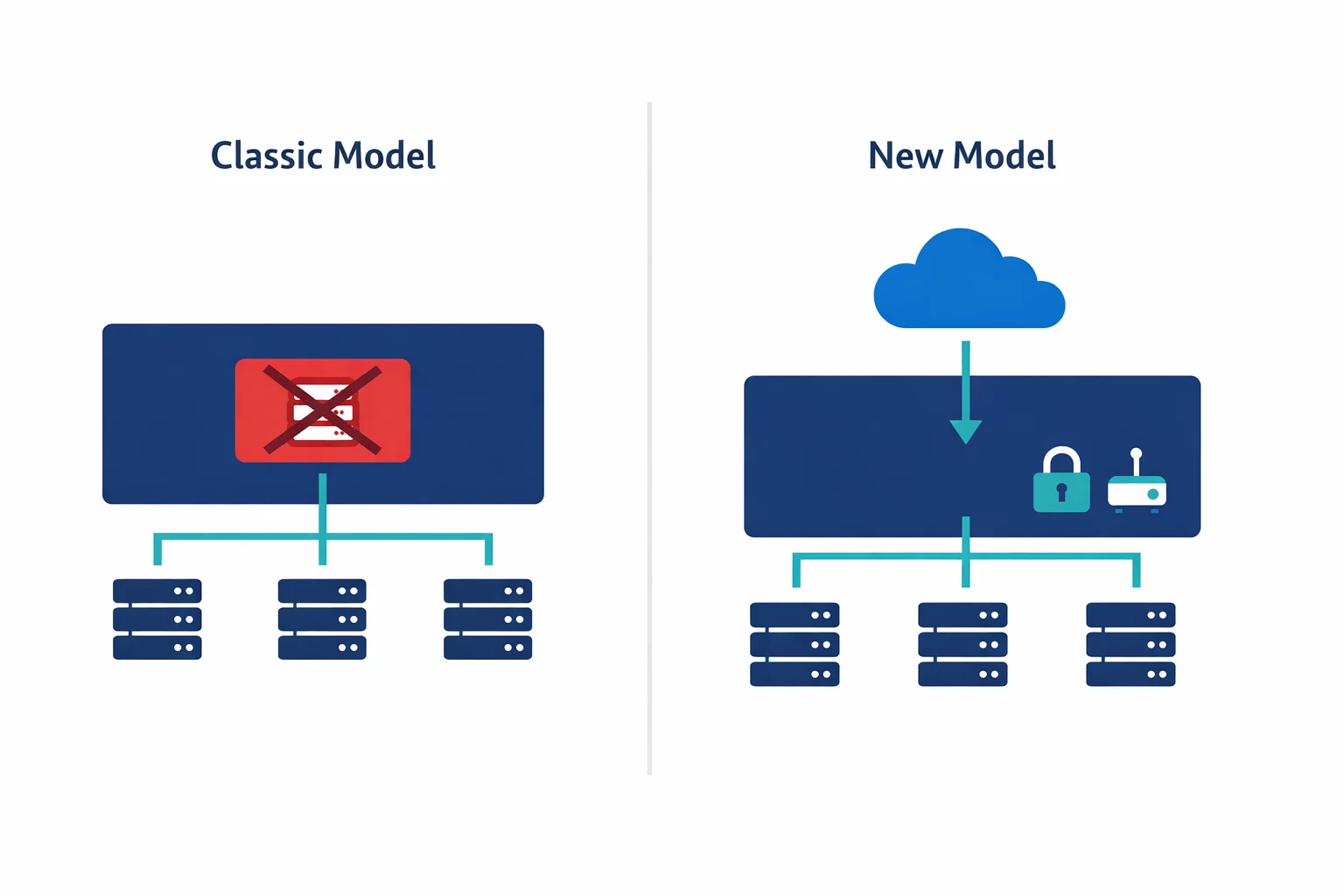
Most teams get tripped up here. Classic Premium APIM supported VNet injection: the APIM instance got a NIC in your VNet subnet, with a private IP, and you could control traffic with NSGs and route tables just like any other Azure resource.
StandardV2 drops VNet injection entirely. Instead, it uses VNet integration, conceptually closer to how App Service VNet integration works. In practice, that means your APIM gets a path into your private network for backend calls, but the gateway itself remains publicly accessible unless you put it behind a Private Endpoint.
With classic VNet injection in internal mode, your APIM got a private IP on your VNet for free. With v2, you need to configure a Private Endpoint separately to achieve the same result. Subnet requirements changed too: v2 requires a dedicated subnet delegated to Microsoft.ApiManagement/service, with different sizing requirements than classic. And the required NSG rules for v2 subnets differ from classic, so copying your existing NSG rules will break things.
If you run APIM in internal mode behind an Application Gateway (a very common pattern), expect to redesign the network path entirely.
Azure docs: VNet integration for APIM v2 · Private Endpoints for APIM · VNet reference (NSG rules)
Features That Are Missing or Different
Not everything from classic APIM has made it to v2 yet. Some notable gaps as of late 2025:
| Feature | Classic Premium | StandardV2 |
|---|---|---|
| VNet injection (internal mode) | Yes | No - use Private Endpoint |
| Multi-region deployment | Yes | Not yet |
| Self-hosted gateway | Yes | Yes |
| Developer portal (managed) | Yes | Yes |
| Built-in cache | Yes | Yes (Redis-based) |
| Client certificates (mTLS) | Yes | Yes |
| Capacity model | Scale units | Capacity units (more granular) |
| Deployment time | 30-45 min | 5-10 min |
Check the official feature comparison before planning your migration. Microsoft is closing gaps regularly, but your timeline might not align with theirs.
Azure docs: Feature comparison across tiers · APIM migration guide
What Breaks in Terraform
If you manage APIM with Terraform - and you should - the v2 migration introduces several changes to the azurerm_api_management resource:
# Classic Premium with VNet injection
resource "azurerm_api_management" "classic" {
  name                = "apim-contoso-prd"
  location            = azurerm_resource_group.rg.location
  resource_group_name = azurerm_resource_group.rg.name
  publisher_name      = "Contoso"
  publisher_email     = "api@contoso.com"
  sku_name            = "Premium_1"

  virtual_network_type = "Internal"

  virtual_network_configuration {
    subnet_id = azurerm_subnet.apim.id
  }
}

# StandardV2 with VNet integration + Private Endpoint
resource "azurerm_api_management" "v2" {
  name                = "apim-contoso-prd"
  location            = azurerm_resource_group.rg.location
  resource_group_name = azurerm_resource_group.rg.name
  publisher_name      = "Contoso"
  publisher_email     = "api@contoso.com"
  sku_name            = "StandardV2_1"

  virtual_network_type = "None"  # VNet integration is separate

  # VNet integration handled via subnet delegation
  # Private Endpoint handled via azurerm_private_endpoint
}
Watch for several Terraform gotchas here.
First, the sku_name format changed: Premium_1 becomes StandardV2_1, and the capacity number works differently. Second, the virtual_network_type and virtual_network_configuration blocks no longer apply for v2 networking. VNet integration is configured differently, and inbound private access requires a separate azurerm_private_endpoint resource. Third, you cannot change sku_name from Premium_1 to StandardV2_1 on an existing resource. Terraform treats it as a destroy-and-recreate, so you need a migration strategy with parallel deployment. Finally, the v2 subnet needs Microsoft.ApiManagement/service delegation added to your azurerm_subnet resource.
If you use Terraform modules for APIM, expect to refactor them significantly. The resource inputs look similar enough to seem compatible but differ enough to fail in surprising ways.
Azure docs: Migrate to APIM v2 platform · Terraform azurerm_api_management
A Practical Migration Approach
Based on our experience migrating enterprise APIM instances, here is what works:
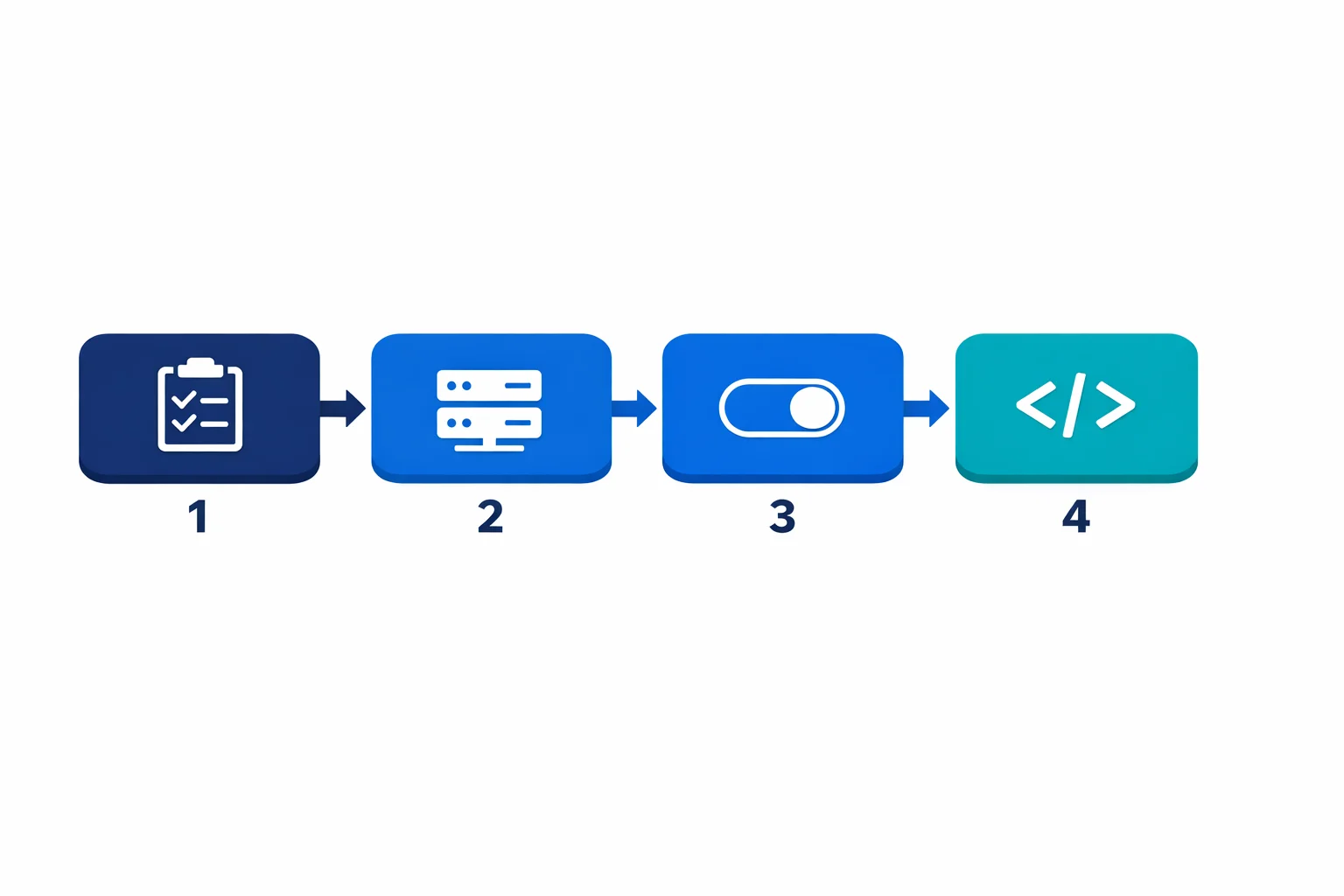
1. Inventory and Impact Assessment
Before touching infrastructure, document all your APIs and their backends, paying special attention to which backends live in private VNets (those are the ones affected by the networking change). Map out your current networking topology: VNet injection mode (internal/external), Application Gateway frontends, DNS configuration. Identify all APIM-related resources in your Terraform state and their dependencies. And figure out who calls your APIs and what changes they will see during migration.
2. Parallel Deployment
Don’t attempt an in-place migration. Deploy a new v2 instance alongside the classic one:
- Deploy StandardV2 with VNet integration and Private Endpoint
- Configure the same APIs, policies, and backends on the v2 instance
- Use APIM’s built-in export/import or Terraform to replicate configuration
- Test thoroughly with private backend connectivity
3. Traffic Cutover
Once the v2 instance is validated:
- Update DNS records or Application Gateway backend pools to point to the v2 instance
- Keep the classic instance running in parallel for rollback
- Monitor error rates and latency for 48-72 hours
- Decommission the classic instance only after validation
4. Update Your IaC
After cutover, update your Terraform to reflect the new resource structure. Remove the classic resource definition, add Private Endpoint resources, update subnet configurations.
Common Pitfalls We See
DNS resolution inside the VNet catches people first. With classic internal mode, APIM’s private IP was in your VNet and DNS just worked. With v2 and Private Endpoint, you need Private DNS zones configured correctly for azure-api.net resolution. Miss this and your backends can’t reach the APIM gateway.
Application Gateway integration is another one. If you front APIM with App Gateway (common for WAF and certificate management), the backend pool configuration changes. Classic used the VNet-injected private IP. V2 with Private Endpoint uses a different IP that resolves through Private DNS.
Managed identity permissions trip up teams that forget the new v2 instance gets a new identity. If your classic APIM uses managed identity to access Key Vault, storage, or other resources, update your RBAC assignments before cutover.
Finally, test your custom policy expressions even though most policies work identically. We have seen edge cases with context.Deployment properties returning different values on v2.
Azure docs: Private DNS zones · APIM with Application Gateway
Should You Migrate Now?
It depends on your constraints. If you need multi-region, wait: StandardV2 doesn’t support it yet. If you are on classic Standard or Basic, migrate soon because these tiers are already deprecated and Microsoft is pushing hard. Premium with VNet injection requires the most careful planning since the networking redesign is the biggest effort; start with a proof of concept in a non-production environment. And if you are provisioning new APIM instances, go straight to v2. No reason to start new deployments on the classic platform.
Microsoft has published migration timelines, and the stv1 platform retirement is already in progress. Not optional, just a question of when.
Azure docs: stv1 platform retirement · Migration guide
The Bottom Line
The move to APIM v2 is the right direction. Faster deployments, better scaling, and a cleaner networking model are all wins. But it isn’t a drop-in replacement - especially for enterprises running APIM in internal mode with VNet injection.
Plan the migration as an infrastructure project, not a SKU change. Inventory your current setup, deploy in parallel, validate thoroughly, and update your IaC after cutover. Teams that treat this as a weekend task end up with broken API traffic on Monday morning. Block out two to three weeks for the full cycle: inventory, parallel deploy, validation, and cutover. Start with your lowest-risk environment, prove out the networking path, and work up from there.
Looking for Azure architecture guidance?
We design and build Azure foundations that scale - landing zones, networking, identity, and governance tailored to your organisation.
More from the blog
YAML-Driven Terraform: Building a Self-Service Infrastructure Catalog
Terraform AzureRM 4.0: What Breaks and How to Migrate