Azure Bastion: Why Your VMs Don't Need Public IPs Anymore
In this article
Every Azure environment we audit has the same problem: VMs with public IP addresses and NSG rules allowing RDP (3389) or SSH (22) from “trusted” IP ranges. Those ranges grow over time. People leave. IPs change. The rules become a liability that nobody wants to own.
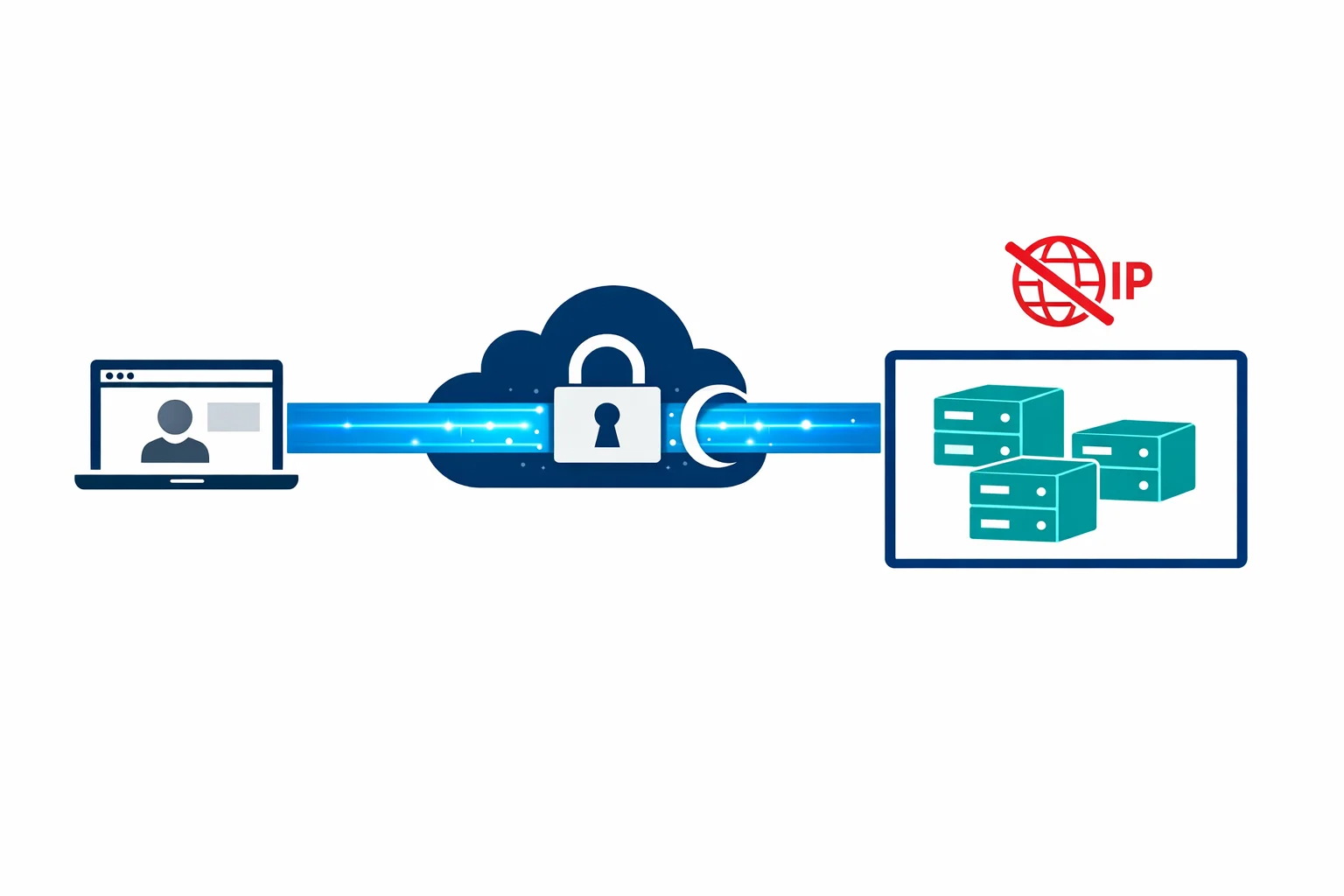
Microsoft just solved this with Azure Bastion general availability, announced at Ignite 2019. Bastion provides browser-based RDP and SSH access to your VMs directly through the Azure portal - over TLS, through the Azure backbone, with no public IP required on the target VM.
No jump boxes. No VPN client. No NSG rules opening RDP to the internet. Just click “Connect” in the portal and you get a session in your browser.
The Security Case
The traditional approach to VM access creates a surface area that accumulates risk:
- Public IPs on VMs. Every VM with a public IP is reachable from the internet. Even with NSG rules, you are one misconfiguration away from exposure
- Jump box VMs. You deploy a Windows VM as a bastion host, give it a public IP, lock it down with NSGs, and maintain it. Now you have a VM to patch, monitor, and back up - and it is the most attractive target in your environment
- VPN dependencies. Point-to-site VPN works but requires client configuration, certificate management, and troubleshooting when it breaks on someone’s laptop at 2 AM
- NSG rule sprawl. Allowing RDP from “the office IP” turns into allowing it from five office IPs, three home IPs, two consultant ranges, and a /16 that nobody remembers adding
Azure Bastion eliminates all of this. Your VMs don’t get public IPs. Your NSGs don’t need inbound rules for 3389 or 22. There is no jump box VM to maintain. Access happens through the Azure control plane, authenticated by Azure AD, over port 443.
Azure docs: Azure Bastion overview
How It Works
Bastion deploys as a PaaS service into a dedicated subnet in your VNet. When a user clicks “Connect” on a VM in the Azure portal, Bastion brokers an RDP or SSH session from the user’s browser to the VM’s private IP - all over TLS on port 443.
The session never leaves the Azure network. The user’s browser connects to the Bastion endpoint over HTTPS. Bastion connects to the VM over the VNet on the standard RDP or SSH port. The VM sees a connection from Bastion’s private IP, not from the internet. No public IP needed, no inbound NSG rules for RDP/SSH, no brute-force attacks on port 3389.
The AzureBastionSubnet
Bastion requires a dedicated subnet named exactly AzureBastionSubnet. Not bastion-subnet. Not BastionSubnet. The exact name AzureBastionSubnet. The deployment fails if you get this wrong.
The subnet must be at least /26 (64 addresses). Microsoft recommends /26 as the minimum because Bastion uses multiple instances behind the scenes for availability and scaling. A /27 won’t work - the deployment will fail with a validation error that doesn’t clearly explain why.
# Create the Bastion subnet
az network vnet subnet create \
  --resource-group rg-networking \
  --vnet-name vnet-hub-westeurope \
  --name AzureBastionSubnet \
  --address-prefix 10.0.1.0/26

# Deploy Bastion
az network bastion create \
  --resource-group rg-networking \
  --name bastion-hub-westeurope \
  --vnet-name vnet-hub-westeurope \
  --location westeurope \
  --sku Basic
Bastion works across VNet peering. Deploy it once in the hub VNet and it can reach VMs in any peered spoke VNet. You don’t need a Bastion instance per spoke - one hub deployment covers the entire hub-spoke topology.
Azure docs: Bastion VNet peering · Configure Bastion subnet
NSG Simplification: Before and After
The security improvement is most visible in the NSG rules.
Before Bastion - typical VM NSG:
Priority  Direction  Action  Port   Source
100       Inbound    Allow   3389   203.0.113.0/24    (office)
110       Inbound    Allow   3389   198.51.100.15/32  (admin home)
120       Inbound    Allow   22     203.0.113.0/24    (office)
130       Inbound    Allow   22     10.0.0.0/16       (VNet)
200       Inbound    Deny    *      *
After Bastion - the same VM NSG:
Priority  Direction  Action  Port   Source
100       Inbound    Allow   3389   10.0.1.0/26       (AzureBastionSubnet)
110       Inbound    Allow   22     10.0.1.0/26       (AzureBastionSubnet)
200       Inbound    Deny    *      *
No internet sources. No public IPs. The only allowed source for management traffic is the Bastion subnet. If someone gains access to a VM’s NSG, there is no public IP to attach and no inbound rule to exploit.
Bastion SKUs: Basic vs Standard
Bastion shipped with a Basic SKU. Microsoft has since introduced the Standard SKU with additional capabilities. The differences matter for enterprise use:
Basic SKU - browser-based RDP and SSH from the Azure portal, two fixed instances. Sufficient for most small-to-mid environments.
Standard SKU - everything in Basic, plus:
- File transfer - upload/download files through the browser session (up to 256 MB)
- IP-based connection - connect to VMs by private IP, not just Azure resource selection. Useful for non-Azure VMs or appliances
- Shareable links - generate a URL that allows connection without portal access. Good for contractors
- Custom instance count - scale from 2 to 50 instances for higher session concurrency
- Native client support - use native RDP or SSH via
az network bastioninstead of the browser
The Standard SKU’s native client support is particularly valuable. With it, you can tunnel through Bastion using the Azure CLI:
az network bastion rdp \
  --name bastion-hub-westeurope \
  --resource-group rg-networking \
  --target-resource-id /subscriptions/.../virtualMachines/vm-app01
This opens a native RDP session that tunnels through Bastion. Same security posture, better user experience.
Azure docs: Bastion SKU comparison · Native client connections
Cost Analysis: The Uncomfortable Part
Bastion isn’t cheap. The Basic SKU costs roughly $140/month (two instances at $0.19/hour each, 730 hours). The Standard SKU starts at the same price and scales up with additional instances.
That $140/month replaces a jump box VM ($70-150/month for a B2ms with Windows licensing), eliminates public IPs to manage, removes the need for a VPN gateway just for management access ($140-350/month), and gives you centralised audit logs of every RDP/SSH session.
For an enterprise with 50+ VMs across multiple spokes, $140/month is easy to justify. You’d spend more on the jump box VM alone, and Bastion gives you better security and auditability.
For a small environment with 3-5 VMs, $140/month just for management access is harder to swallow. A point-to-site VPN gateway (Basic SKU at ~$27/month) or just-in-time VM access with time-limited NSG rules might be more cost-effective.
Bastion pays for itself when the alternative is a managed jump box in a security-conscious environment. If you were already running a Windows VM as a bastion host, the costs are comparable and the security posture is dramatically better.
Integration with Azure AD and Entra ID
Bastion sessions are initiated through the Azure portal, which means they are gated by Azure AD (now Entra ID) authentication and RBAC. A user needs:
- Azure AD authentication - MFA, Conditional Access, all the identity controls you already have
- RBAC permissions - Reader role on the VM, plus Reader on the Bastion resource and the VNet
- VM-level credentials - local admin username/password or SSH key for the actual RDP/SSH session
This layered model is stronger than traditional jump box access. The user must pass Azure AD authentication (with MFA) before they even get to the VM login prompt. Conditional Access policies can enforce device compliance, location restrictions, and session controls.
Combine this with Azure AD login for VMs and you can eliminate local VM credentials entirely - authenticating to the VM with the same Azure AD identity that accessed the portal.
Limitations to Know About
Bastion isn’t perfect, and you should go in with clear expectations:
Browser-based latency. RDP over a browser is workable but noticeably slower than a native RDP session. Text rendering, mouse movement, and file operations feel sluggish compared to direct RDP. The Standard SKU’s native client support mitigates this significantly.
No multi-hop. You can’t RDP from Bastion to VM-A and then RDP from VM-A to VM-B within the browser session. Multi-hop access requires multiple Bastion connections or the native client.
Clipboard restrictions. Text copy-paste works in both directions, but file copy-paste through the clipboard isn’t supported. File transfer requires the Standard SKU and uses a separate upload/download mechanism.
No session recording. Bastion logs connection metadata (who connected, when, to which VM) but doesn’t record actual session content. If you need session recording for compliance, you’ll still need a PAM solution.
Subnet consumption. The AzureBastionSubnet uses a /26 - 64 addresses consumed by a single service. Plan for this in tight address spaces.
Wrapping Up
Azure Bastion is a security win with a clear trade-off: dramatically better security posture in exchange for a fixed monthly cost and a browser-based experience that isn’t quite as smooth as native RDP.
For enterprise environments, the trade-off is obvious. Deploy Bastion in the hub, peer it to your spokes, delete the public IPs from your VMs, and close ports 3389 and 22 to the internet forever.
For small environments, run the numbers. But if you’ve ever had a VM brute-forced through an exposed RDP port, the $140/month suddenly looks very reasonable.
$140/month to never worry about an exposed RDP port again. For most enterprises, that’s not a cost - it’s a bargain.
Need help with your WAF or cloud security posture?
We help Azure enterprises turn WAF from a checkbox into a tuned security layer. From log analysis and rule profiling to a fully documented, governance-ready configuration.
More from the blog
Azure Private Link: How It Changed the Enterprise PaaS Playbook
Azure Firewall: When Cloud-Native Network Security Finally Makes Sense