Bicep vs Terraform, Why We Default to Terraform (and When Bicep Wins)
In this article
- Our Default Is Terraform. Here Is Why.
- Data Blocks Change Everything
- You Are Not Locked to a Resource Group
- The Ecosystem Matters Even on a Single Cloud
- Where Bicep Genuinely Wins
- Configuration as Code with JsonNet
- Empty Config Files Are a Feature (and a Risk)
- Day-Zero Azure Resource Support
- Stability for Landing Zones
- Badly Written Terraform Is Worse Than Good Bicep
- The Dual-Track Model That Actually Works
- What We Would Tell You Over Coffee
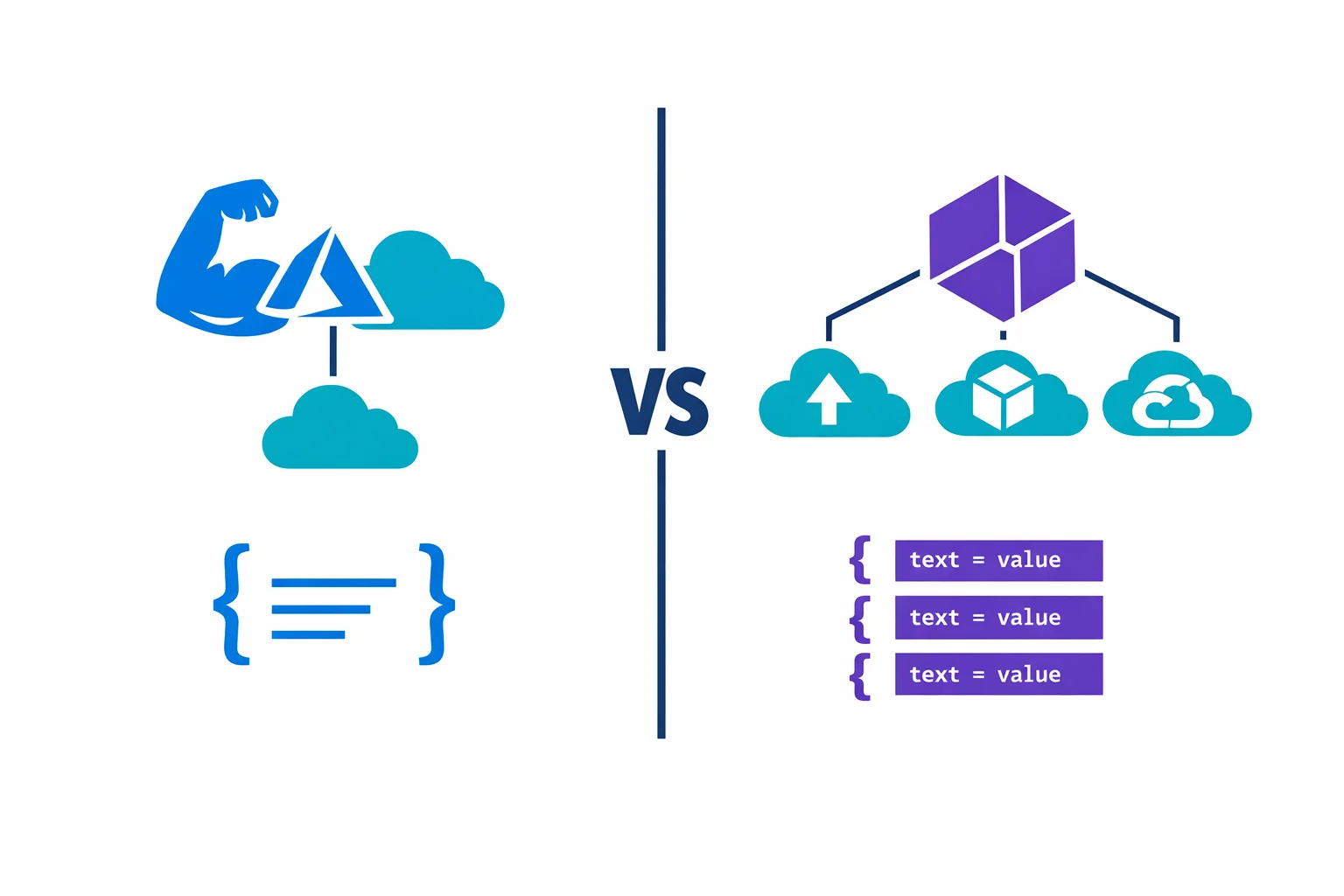
Most comparison articles list features side by side and tell you to “pick the right tool for the job.” This is not that article.
We have been running both Bicep and Terraform for the same enterprise client, managing the same Azure platform, for over a year now. Not a proof of concept, not a blog demo: production landing zones in Bicep, product-level infrastructure in Terraform, both hitting the same subscriptions. We ran an internal IaC workshop in January 2024 where the whole platform team walked through both solutions side by side, compared strengths and weaknesses live, and came to some conclusions that surprised us. (The human side of that workshop turned into its own article about managing technical disagreements.)
Here is what we actually think.
Our Default Is Terraform. Here Is Why.
Terraform is not perfect. We will get to its problems. But when we start a new infrastructure project, Terraform is what we reach for, and these are the reasons.
Data Blocks Change Everything
Most comparison articles don’t even mention this one. Terraform’s data blocks let you read existing infrastructure as first-class objects in your code:
data "azurerm_resource_group" "rg" {
  for_each = toset(local.rg_names)
  name     = each.value
}

resource "azurerm_virtual_network" "this" {
  for_each            = local.vnets
  resource_group_name = each.value.resource_group

  # Inherit tags from the resource group automatically
  tags = merge(
    data.azurerm_resource_group.rg[each.value.resource_group].tags,
    try(each.value.tags, {}),
    local.tags
  )
}
You can look up a Key Vault, read its access policies, grab a subnet ID from another subscription, pull tags from a resource group, all without hardcoding anything. In Bicep, you use the existing keyword for some of this, but it is scoped to the current deployment and does not come close to the flexibility of Terraform data sources across providers and subscriptions.
During our workshop, one of the team members called data blocks “a big, big advantage” of Terraform. After a year of working with both tools daily, that opinion has only gotten stronger.
You Are Not Locked to a Resource Group
Bicep deployments are scoped. You pick a deployment scope (resource group, subscription, management group) and everything in that deployment targets that scope. In practice, most Bicep deployments target a single resource group.
Terraform does not have this limitation. A single Terraform stack can create resource groups, deploy resources into multiple resource groups, set up cross-subscription peering, and configure DNS zones, all in one plan. This matters the moment your infrastructure crosses resource group boundaries, which happens faster than you think.
With Bicep, if you need resources in two different resource groups, you need two deployments, and you need to manage the dependency ordering between them yourself through your pipeline. With Terraform, you express the dependency in code and terraform apply handles the rest.
The Ecosystem Matters Even on a Single Cloud
Yes, Terraform works across AWS, GCP, and Azure. But even if you are 100% Azure, the provider catalog matters. We manage DNS on Cloudflare, monitoring in Datadog, CI/CD resources in Azure DevOps, and Kubernetes manifests, all from Terraform. Bicep cannot touch any of this.
Where Bicep Genuinely Wins
Terraform is our default, but Bicep earned its place on the same platform. Dismissing it would be dishonest.
Configuration as Code with JsonNet
Our Bicep landing zones use JsonNet as a configuration layer on top. One config file per resource type, one file for all environments. Want to add a test environment? Add an entry to the config, not a new file. The Bicep team does not duplicate anything.
In Terraform, we initially had to create separate config files per environment. This is a real weakness: for six environments, that is six files with mostly identical content. Terragrunt solves some of this, and our YAML-driven approach reduced it further, but Bicep with JsonNet had this solved from day one.
Empty Config Files Are a Feature (and a Risk)
One pattern that impressed us in the Bicep solution: some resources deploy with an empty configuration file. The resource group stack, for example, needs zero parameters because all defaults are derived from common parameters (subscription, naming convention, tags). You commit an empty file and get a correctly configured resource group.
Elegant, but it hides intent. If you look at an empty config file and don’t know the code behind it, you have no idea what you will get. There is no single source of truth visible in the config. The knowledge lives in the Bicep modules. For the team that wrote it, this is fine. For the team that inherits it, it is a documentation gap.
Day-Zero Azure Resource Support
Bicep compiles to ARM templates. When Microsoft ships a new API version on Tuesday, Bicep can use it on Tuesday. Terraform’s AzureRM provider takes weeks or months to catch up. For teams adopting cutting-edge Azure services, this lag is real.
You can work around this with the azapi provider, but that means writing raw ARM-style resource definitions inside Terraform, which defeats the purpose of the provider abstraction. We have used azapi for Azure Functions Flex Consumption because the AzureRM provider simply did not support it yet. It works, but it is not pleasant.
Stability for Landing Zones
Our Bicep landing zones have been through implementation, testing, and production. They deploy multiple landing zones successfully and have been stable for over a year. When something works and is proven, “let’s rewrite it in Terraform” is not a compelling argument. We had that exact discussion in the workshop, and the answer was clear: keep Bicep for the platform layer.
Badly Written Terraform Is Worse Than Good Bicep
Let us be direct. Terraform gives you more power, but power without discipline creates a mess that is harder to debug than anything Bicep can produce.
In our setup, the hardest part is the locals.tf transformation layer, where YAML configuration gets translated into the flat maps that Terraform’s for_each expects. It requires flattening nested structures, merging defaults, collecting resource group names for data lookups. As one team member put it during the workshop, “you need to do some massaging to prepare all the different config files to be ingested into Terraform.”
# This is where Terraform complexity lives
locals {
  subnets = {
    for s in flatten([
      for v in values(local.vnets) : [
        for sn in try(v.subnets, []) : merge(sn, {
          vnet_name      = v.name
          resource_group = v.resource_group
        })
      ]
    ]) : "${s.vnet_name}/${s.name}" => s
  }
}
If your team writes this well, it is powerful and maintainable. If they don’t, you get nested for expressions that nobody can read, state files that are impossible to untangle, and a plan output that requires 20 minutes of squinting to understand. At that point, a clean Bicep module with sensible defaults would have been the better choice.
Terraform rewards good engineering and punishes bad engineering more severely than Bicep does. Bicep’s tighter scope and simpler deployment model act as guardrails. Terraform has no guardrails unless you build them yourself.
The Dual-Track Model That Actually Works
After the workshop, the team agreed on a model that we have been running successfully since:
Bicep handles the platform layer: landing zones, resource groups, base networking, policy assignments. These are deployed once (or very rarely changed), they are scoped to resource groups, and Bicep’s stability and JsonNet configuration model work perfectly here.
The product layer uses Terraform: application infrastructure, product-specific networking, WAF policies, Application Gateways. Anything deployed and modified frequently across environments, where cross-resource-group scope and data blocks earn their keep.
Bicep owns the foundation, Terraform builds on top. Pipeline runs Bicep first, then Terraform. No interference, clean boundary.
“Pick one tool” is the wrong framing. Platform infrastructure and product infrastructure have different change frequencies, scope requirements, and team ownership models. Using a single tool for both forces one side to fight the tool’s defaults.
What We Would Tell You Over Coffee
If you forced us to pick one tool for everything, it would be Terraform. Data blocks, cross-scope deployments, hundreds of providers, and the plan/apply workflow all compound over time. The more infrastructure you manage, the more Terraform’s reach pays off.
But if your team is small, your infrastructure is Azure-only, and you deploy relatively static environments, Bicep is simpler and you will ship faster. Do not introduce Terraform complexity for the sake of “industry standard.” A well-structured Bicep codebase with JsonNet will serve you better than a poorly structured Terraform codebase with config files scattered everywhere.
Forget “Bicep or Terraform?” Ask instead: “does my team have the discipline to write good Terraform?” If yes, Terraform. If you are not sure, start with Bicep and add Terraform when you hit its walls, because you will hit them. Resource group scope, cross-subscription dependencies, non-Azure resources: these are the moments where Bicep runs out of answers and Terraform earns its complexity.
Our YAML-driven Terraform catalog article covers the product-layer patterns in detail. For official docs: Terraform on Azure best practices, Bicep vs ARM templates, AzureRM Provider.
Ready to automate your infrastructure?
From Infrastructure as Code to CI/CD pipelines, we help teams ship faster with confidence and less manual overhead.