Azure Front Door: Global Load Balancing That Actually Simplifies Your Architecture
In this article
- What Front Door Actually Does
- Front Door vs Traffic Manager vs Application Gateway
- WAF at the Edge Changes Everything
- Backend Pools and Health Probes
- Custom Domains and SSL Made Simple
- Caching and Compression - CDN Without the CDN
- The Cost Model - Watch the Data Transfer
- When to Deploy, When to Skip
If you run multi-region applications on Azure, you have probably cobbled together Traffic Manager for DNS-based routing, Application Gateway for L7 load balancing, a CDN for static content, and maybe a WAF somewhere in the mix. That is four services to configure, monitor, and pay for, each with its own quirks.
Microsoft just announced Azure Front Door general availability. It rolls global HTTP load balancing, SSL offload, URL-based routing, session affinity, WAF integration, and CDN-like caching into a single service that operates at the edge of Microsoft’s global network.
We have been using Front Door in preview for several multi-region enterprise deployments. Now that it is GA, this is what you need to know.
What Front Door Actually Does
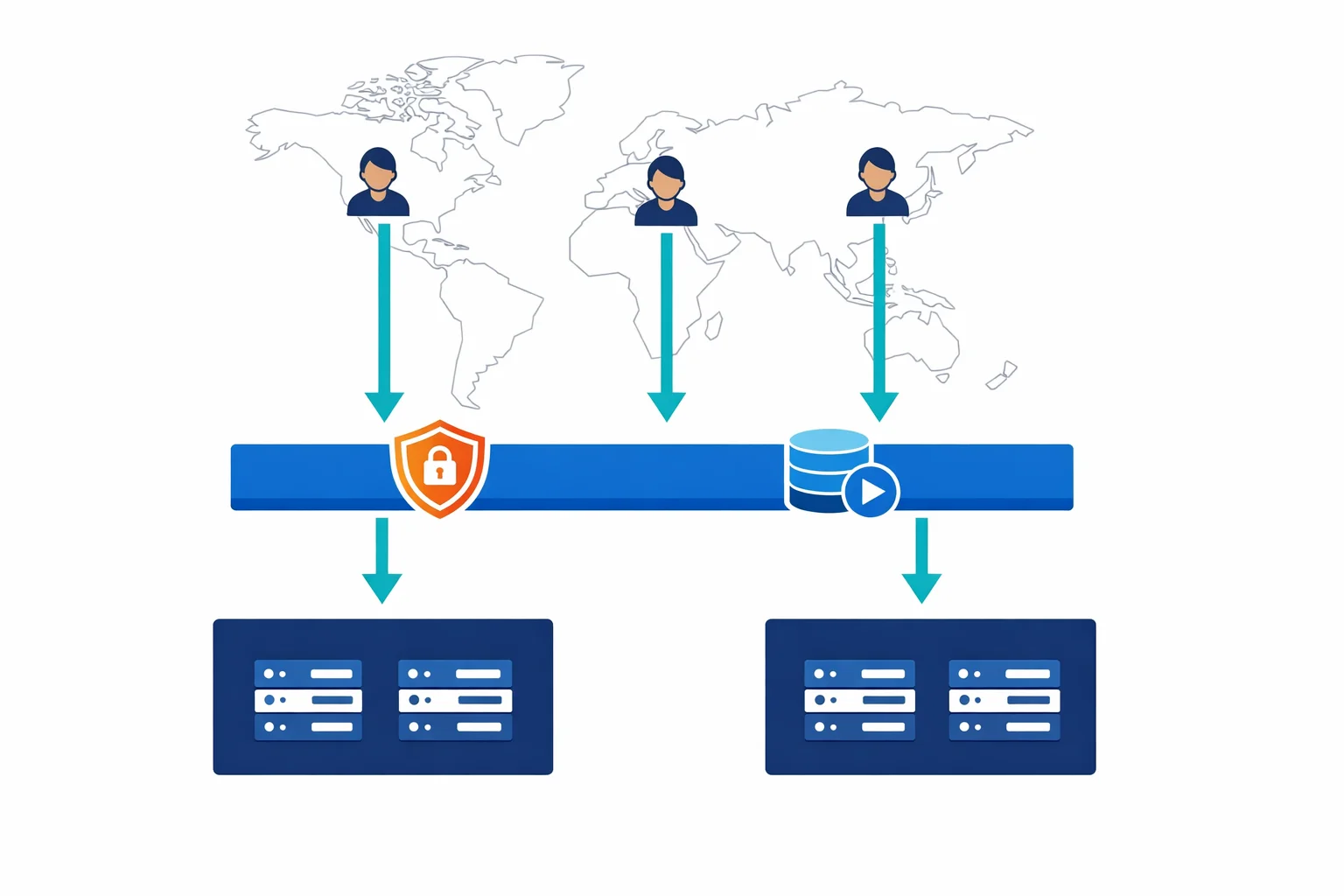
Front Door is a Layer 7 global load balancer that sits at Microsoft’s edge points of presence (PoPs) worldwide. When a user connects, they hit the nearest PoP - not your origin server. From there, Front Door makes routing decisions based on latency, health, and your configuration.
What it brings to the table:
- Global HTTP/HTTPS load balancing - route traffic across regions based on latency, priority, or weighted distribution
- SSL offload and termination - terminate TLS at the edge, reducing latency and offloading compute from your backends
- URL path-based routing - send
/api/*to one backend pool and/static/*to another - Session affinity - sticky sessions when your application requires them
- WAF integration - Azure Web Application Firewall policies applied at the edge, before traffic reaches your backends
- Caching and compression - CDN-like behaviour built into the routing layer
Front Door is an edge routing platform that happens to do load balancing, WAF, and caching as part of the same traffic flow. That distinction matters when you’re designing your network.
Azure docs: Azure Front Door overview · Front Door routing architecture
Front Door vs Traffic Manager vs Application Gateway
Everyone asks this question, and the answer matters because picking the wrong one costs you time and money.
Traffic Manager is DNS-based. It returns a DNS response pointing to the healthiest endpoint, but it doesn’t proxy traffic. The client connects directly to the backend. No SSL offload, no WAF, no caching. Use Traffic Manager for non-HTTP workloads (TCP/UDP) or when you need DNS-level failover without proxying.
Application Gateway is a regional L7 load balancer. It sits inside a single VNet in a single region. It does SSL offload, URL-based routing, and WAF - but only for traffic within that region. Use Application Gateway when your application runs in one region and you need L7 features locally.
Front Door is global L7. It proxies traffic through Microsoft’s edge network, terminates SSL at the PoP, applies WAF rules, caches content, and routes to the healthiest backend across multiple regions. Use Front Door when you need multi-region routing with L7 intelligence.
In practice, we typically deploy: Front Door at the edge for global routing and WAF, with Application Gateway in each region for internal L7 load balancing within the VNet. Traffic Manager only when there are non-HTTP protocols involved.
Azure docs: Load balancing options in Azure · Application Gateway overview
WAF at the Edge Changes Everything
Before Front Door, applying WAF to a multi-region application meant deploying Application Gateway with WAF in every region. That is multiple WAF instances to manage, each with its own policy configuration, and each adding latency because the WAF inspection happens after traffic has already crossed the internet to reach your region.
Front Door flips this. You attach a single Azure WAF policy to your Front Door instance, and WAF inspection happens at the edge PoP closest to the user. Malicious traffic gets blocked before it ever reaches your network.
A practical WAF policy configuration:
WAF Policy: waf-contoso-frontdoor
├── Managed Rules
│   ├── OWASP 3.1 (DefaultRuleSet)
│   └── Bot protection rule set
├── Custom Rules (priority order)
│   ├── Rate limit: 1000 requests per minute per IP
│   ├── Geo-filter: block traffic from specific countries
│   └── IP allowlist: bypass WAF for monitoring services
└── Policy Settings
    ├── Mode: Prevention (not Detection)
    └── Request body inspection: enabled (128 KB limit)
One WAF policy, applied globally, inspected at the edge. That is a meaningful simplification over per-region Application Gateway WAF deployments.
Azure docs: WAF on Front Door · WAF policy configuration
Backend Pools and Health Probes
Front Door routes traffic to backend pools, and each pool contains one or more backends (your actual application endpoints). The routing decision depends on two things: your routing method and the health of each backend.
Health probes are where teams get tripped up. Front Door probes your backends from multiple edge locations simultaneously. If your backend serves traffic from two regions but Front Door has 150+ PoPs, your health probe endpoint will receive a lot of traffic. Design for this:
Don’t point probes at your homepage. Create a dedicated /health path that checks critical dependencies and returns quickly. Keep the default 30-second probe interval unless you have a specific reason to shorten it; dropping to 5 seconds generates unnecessary load from 150+ PoPs. Configure probes to use HEAD requests instead of GET, which reduces the work your backends do per probe cycle. Also watch out for redirects in your probe path. Front Door follows them, so an HTTP probe that redirects to HTTPS will work, but each redirect adds latency to the probe response.
Each routing rule supports one of three routing methods. Latency-based routing sends traffic to the lowest-latency backend and is the right default for most deployments. Priority routing gives you active-passive failover, where your primary region handles all traffic until it fails health checks. Weighted routing distributes traffic by percentage across backends, which is useful for gradual rollouts or A/B testing across regions.
Azure docs: Backend pools · Health probes
Custom Domains and SSL Made Simple
Custom domain and certificate management is one of Front Door’s strongest selling points. You can bring your own certificate (stored in Key Vault) or let Front Door provision and auto-renew a managed certificate for your custom domain.
Go with managed certificates unless you have a specific requirement for your own cert. Front Door handles issuance, renewal, and deployment to all edge PoPs automatically. No more calendar reminders to renew certificates. No more outages because someone forgot.
Setup takes four steps:
- Add your custom domain to Front Door
- Create a CNAME record pointing to your Front Door endpoint (
contoso.azurefd.net) - Enable HTTPS and select “Front Door managed” for the certificate
- Wait for domain validation and certificate provisioning (usually under an hour)
For apex domains (like contoso.com without www), you can’t use a CNAME. Front Door supports this through Azure DNS alias records - another reason to host your DNS in Azure DNS.
Azure docs: Custom domains on Front Door · HTTPS configuration
Caching and Compression - CDN Without the CDN
Front Door caches responses at the edge based on standard HTTP caching headers. You don’t need a separate Azure CDN profile for static content if Front Door is already in your architecture.
You configure caching behaviour per routing rule. Cache duration can either honour your origin’s cache headers or override them with a fixed TTL. Query string handling is flexible: cache every unique query string, ignore query strings entirely, or cache only specified parameters. Front Door also compresses responses for supported MIME types using gzip and Brotli when the client supports it.
Caching works well for static assets, API responses that don’t change frequently, and any content where you can tolerate a short cache TTL. For fully dynamic API traffic, disable caching on those routing rules and let requests pass through to the origin.
One limitation: Front Door’s caching isn’t as feature-rich as Azure CDN Premium (Verizon). If you need advanced caching rules, token authentication at the CDN layer, or real-time analytics on cache hit rates, you might still want a dedicated CDN. For most applications, Front Door’s built-in caching is more than enough.
The Cost Model - Watch the Data Transfer
Front Door pricing has three components, and the third one catches people off guard:
First, a modest per-day base fee for the Front Door profile itself. Second, a per-rule per-day charge for routing rules, so keep your rule count reasonable. Third, outbound data transfer from edge PoPs to clients, and this is where the bill grows.
Data transfer is the component to model carefully. Front Door processes all your traffic through Microsoft’s edge network, which means all response bytes flow through Front Door’s outbound metering. For a high-traffic application serving large payloads, this adds up fast.
Run the numbers before deploying. Compare the combined cost of Front Door (including data transfer) against your current architecture’s total cost. For most multi-region applications, Front Door is cost-competitive because it replaces multiple services. For single-region applications with high bandwidth, the math might not work.
Azure docs: Front Door pricing · Bandwidth pricing
When to Deploy, When to Skip
Front Door is the best option on Azure for global HTTP load balancing. Nothing else combines L7 routing, edge WAF, SSL management, and caching in a single service with this level of simplicity. For multi-region applications that serve a global audience, it should be your default starting point.
But it isn’t for everyone. If your application runs in a single region and serves users in one geography, you don’t need a global load balancer. Application Gateway with WAF handles that scenario at lower cost and lower complexity. Don’t deploy Front Door because it sounds impressive - deploy it because your traffic patterns demand global distribution.
Where it pays for itself: two or more Azure regions, users on multiple continents, and a need for edge WAF and SSL termination. In that scenario, Front Door replaces three or four separate services and reduces both operational overhead and attack surface.
Start with latency-based routing, enable managed SSL on your custom domains, attach a WAF policy in prevention mode, and enable caching for your static paths. That baseline configuration covers 90% of what most teams need, and you can layer on weighted routing, custom WAF rules, and query-string caching as your traffic patterns become clearer.
Looking for Azure architecture guidance?
We design and build Azure foundations that scale - landing zones, networking, identity, and governance tailored to your organisation.