Architecting for Azure OpenAI: Enterprise Patterns That Actually Work
In this article
- Why Azure OpenAI Instead of OpenAI Directly
- Pattern 1: Private Endpoint for Network Isolation
- Pattern 2: API Management in Front of Azure OpenAI
- Pattern 3: RAG with Azure AI Search and Azure OpenAI
- Token Management and Cost Control
- Responsible AI: Content Filtering, Prompt Injection, and Human-in-the-Loop
- Getting Started: Practical Decisions
- Final Thoughts
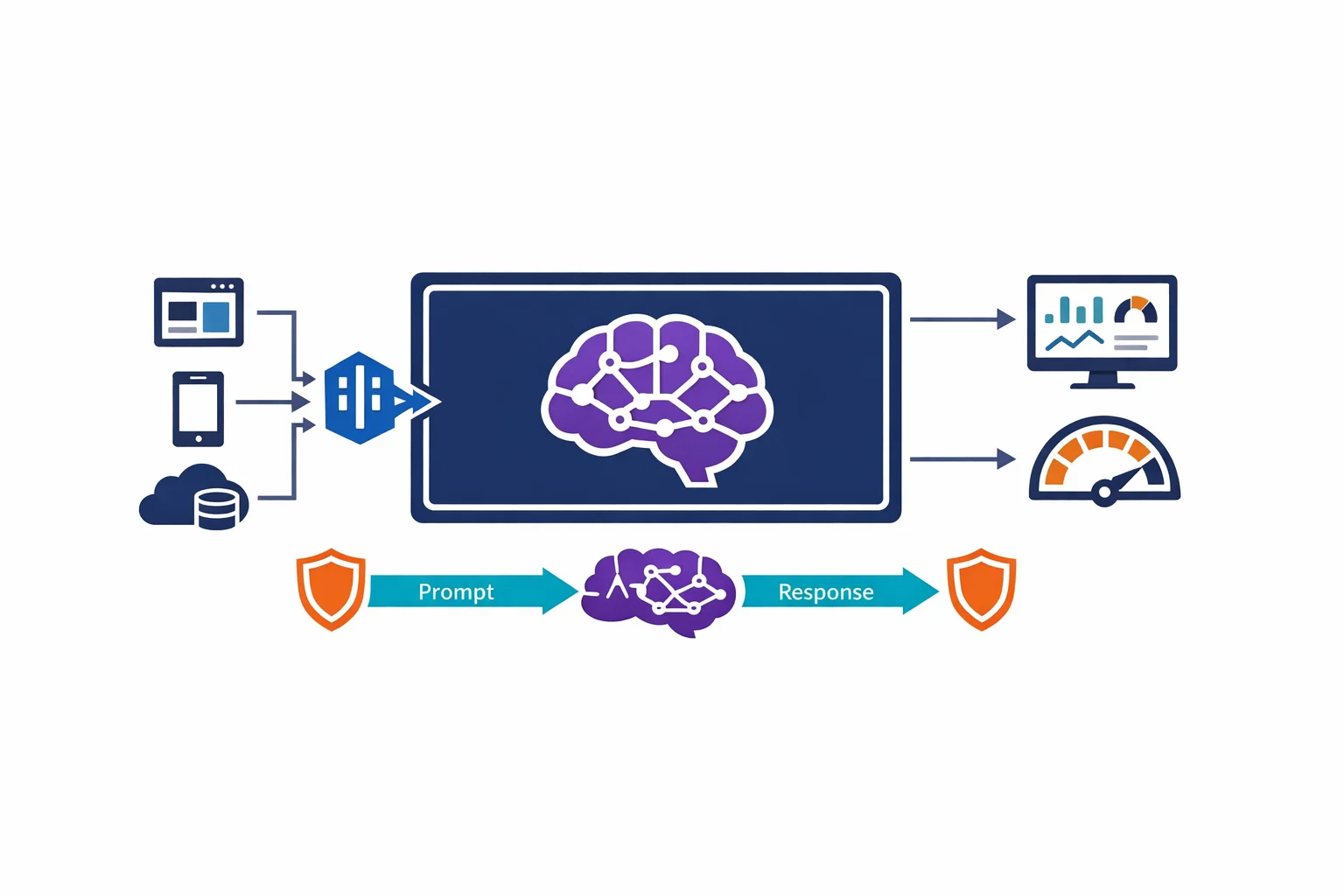
Microsoft just made Azure OpenAI Service generally available. Enterprise teams now have access to GPT-4, GPT-3.5, Codex, and DALL-E models through the same Azure control plane they already use for everything else. Same subscriptions. Same RBAC. Same compliance boundary.
This is a big deal. Not because the models are new - OpenAI has offered them directly for a while - but because Azure OpenAI wraps them in the enterprise security and governance fabric that production workloads actually require.
The question is no longer whether your organisation will use large language models. It is how you architect for them without creating a security, cost, or compliance mess. These are the patterns that work.
Why Azure OpenAI Instead of OpenAI Directly
Both services give you access to the same underlying models. The difference is the infrastructure around them.
Data residency. Azure OpenAI deployments run in specific Azure regions. Your prompts and completions stay within the region you choose. For organisations subject to GDPR, data sovereignty laws, or internal data classification policies, this matters.
Network isolation. Azure OpenAI supports Private Endpoints. Your prompts never traverse the public internet. With OpenAI directly, every API call goes over the internet - no matter what your corporate network policy says.
Authentication. Azure OpenAI supports Managed Identity and Entra ID tokens. No API keys in environment variables. No shared secrets rotating on a schedule. Your application authenticates to Azure OpenAI the same way it authenticates to Storage or Key Vault.
Content filtering. Azure OpenAI includes built-in content filtering that runs alongside every API call. Hate speech, violence, self-harm, and sexual content are filtered at configurable severity levels. With OpenAI directly, content moderation is your problem.
SLA. Azure OpenAI comes with a 99.9% uptime SLA. The OpenAI API doesn’t offer a contractual SLA.
If you are building a proof of concept, the OpenAI API is faster to start with. If you are building a production workload that touches customer data, Azure OpenAI is the path that doesn’t make your CISO nervous.
Azure docs: Azure OpenAI overview · Virtual network support · Managed Identity for Azure OpenAI
Pattern 1: Private Endpoint for Network Isolation
The first thing to get right is the network path. By default, Azure OpenAI is accessible over a public endpoint. That means prompts and completions - which often contain sensitive business data - travel over the internet. For most enterprise workloads, that is a non-starter.
The fix is straightforward. Deploy a Private Endpoint for your Azure OpenAI resource. This places a private IP in your VNet, and all traffic between your application and the OpenAI endpoint stays on the Microsoft backbone network.
Once the Private Endpoint is active, disable public network access entirely. Now the only way to reach your Azure OpenAI deployment is through your VNet - which means your existing NSGs, route tables, and firewall rules apply.
This also means developers can’t test against the production endpoint from their laptops unless they are connected to the VNet (via VPN or Azure Bastion). That is a feature, not a bug. Production AI endpoints that handle sensitive prompts should not be reachable from a coffee shop.
Azure docs: Configure virtual networks for Cognitive Services · Private Endpoints overview
Pattern 2: API Management in Front of Azure OpenAI
Deploying Azure OpenAI behind API Management is the pattern that pays for itself within the first month. This is why.
Rate limiting per team. Azure OpenAI quotas are set at the deployment level in tokens per minute (TPM). Without APIM, every consumer competes for the same quota. With APIM, you can set per-subscription rate limits so that one team’s batch processing job doesn’t starve another team’s customer-facing chatbot.
Token tracking and chargeback. APIM policies can extract token usage from the OpenAI response headers and log it to Application Insights or Event Hub. You now know exactly which team, which application, and which API consumer is spending tokens - and you can charge back to cost centres accordingly.
Authentication abstraction. Your application teams authenticate to APIM with their own subscription keys or Managed Identity. APIM authenticates to Azure OpenAI using a single Managed Identity. This means individual teams never need direct access to the Azure OpenAI resource, and you control the authentication boundary centrally.
Retry and failover. APIM backend policies can implement retry logic and failover to a secondary Azure OpenAI deployment in another region. If your primary endpoint hits quota limits or experiences latency, APIM routes to the backup transparently.
This is the same pattern we use for any shared platform service. Azure OpenAI is just another backend - treat it that way.
Azure docs: APIM with Azure OpenAI · APIM policies
Pattern 3: RAG with Azure AI Search and Azure OpenAI
GPT models are powerful, but they only know what was in their training data. For enterprise use cases - answering questions about your internal documentation, your product catalog, your support tickets - you need to bring your own data.
Retrieval-Augmented Generation (RAG) is the pattern that bridges this gap. Instead of fine-tuning a model on your data (expensive, slow, and hard to keep current), you retrieve relevant documents at query time and include them in the prompt context.
The architecture:
- Ingest. Your documents - PDFs, SharePoint pages, database records - are chunked, embedded, and indexed into Azure AI Search using its vector search capabilities
- Retrieve. When a user asks a question, the query is embedded and used to find the most relevant document chunks from the search index
- Generate. The retrieved chunks are included in the prompt sent to Azure OpenAI, which generates an answer grounded in your actual data
The result is a model that answers questions about your business using your data, with citations pointing back to source documents. Hallucination risk drops significantly because the model has relevant context to work with rather than inventing answers from its training data.
Azure AI Search handles the vector storage and hybrid search (combining keyword and semantic search). Azure OpenAI handles the generation. The two services connect naturally, and Microsoft provides integrated vectorisation to simplify the ingestion pipeline.
Azure docs: RAG with Azure AI Search · Azure AI Search overview · Integrated vectorisation
Token Management and Cost Control
Azure OpenAI pricing is consumption-based. You pay per 1,000 tokens processed - and tokens add up fast. A single GPT-4 conversation can consume thousands of tokens per exchange. Without controls, costs spiral quickly.
TPM quotas. Every Azure OpenAI model deployment has a tokens-per-minute (TPM) quota. Set this deliberately per deployment. Don’t give a batch processing job the same TPM as a real-time chatbot. Create separate model deployments for different use cases, each with appropriate quota limits.
Model selection per use case. Not every prompt needs GPT-4. Use GPT-3.5-Turbo for simple classification, summarisation, and extraction tasks. Reserve GPT-4 for complex reasoning, multi-step analysis, and customer-facing generation. The cost difference between models is significant - use it strategically.
Monitoring. Route Azure OpenAI diagnostics to Azure Monitor and set up alerts on token consumption, HTTP 429 (rate limit) responses, and latency. Build dashboards that show usage trends per deployment. You can’t control what you can’t see.
Prompt engineering for efficiency. Shorter, well-structured prompts consume fewer tokens and often produce better results. Invest in prompt design. Strip unnecessary context. Use system messages effectively. This isn’t just a quality issue - it is a cost issue.
Azure docs: Azure OpenAI quotas · Monitoring Azure OpenAI
Responsible AI: Content Filtering, Prompt Injection, and Human-in-the-Loop
The content filtering built into Azure OpenAI is a starting point, not a complete solution. Enterprise deployments need additional layers.
Content filtering configuration. Azure OpenAI allows you to configure content filter severity levels across categories (hate, violence, sexual, self-harm). Tune these for your use case. A medical information system has different filtering needs than a marketing copy generator.
Prompt injection. Users - intentionally or accidentally - can craft inputs that cause the model to ignore its system instructions and do something unintended. This is the SQL injection of the AI era. Mitigations include input validation, output validation, and limiting what downstream actions the model can trigger. Don’t give a model access to destructive operations based solely on generated output.
Human-in-the-loop. For high-stakes outputs - legal summaries, medical guidance, financial recommendations - design a workflow where the model drafts and a human reviews before the output reaches the end user. This isn’t a limitation of the technology. It is responsible architecture. Treat model output as a first draft, not a final answer.
Audit logging. Log prompts and completions (with appropriate data handling). When something goes wrong - and eventually something will - you need to understand what the model was asked and what it produced.
Azure docs: Content filtering · Responsible AI practices
Getting Started: Practical Decisions
Regional availability. Azure OpenAI isn’t available in every Azure region. Check the regional availability table before choosing your deployment region. If your primary region doesn’t support it, deploy the OpenAI resource in a supported region and connect via Private Endpoint from your VNet - cross-region Private Link works.
Model deployment. Azure OpenAI requires you to explicitly deploy a model before you can call it. This isn’t like a standard API - you choose the model, set the TPM quota, and get a deployment name that you reference in your API calls. Plan your deployments around use cases, not around teams.
PTU vs pay-as-you-go. Azure OpenAI offers two pricing models. Pay-as-you-go charges per token and is ideal for variable or unpredictable workloads. Provisioned Throughput Units (PTU) reserve dedicated capacity with guaranteed latency, and make sense for steady-state production workloads where predictable performance matters more than cost flexibility. Start with pay-as-you-go. Move to PTU once you have baseline usage data.
Azure docs: Model availability by region · Provisioned throughput
Final Thoughts
Azure OpenAI going GA means large language models are now a first-class Azure service with the security, networking, and governance capabilities that enterprise architectures demand. But the models are the easy part. The architecture around them - network isolation, cost control, responsible deployment, and operational observability - is what separates a demo from a production system.
Start with Private Endpoints and Managed Identity. Put APIM in front for governance. Build RAG for your data. Monitor token consumption. Filter content. Keep humans in the loop for high-stakes outputs.
The organisations that treat Azure OpenAI as another platform service to be governed - not as a magic box to be thrown at problems - are the ones that will get real value from it.
Exploring AI for your organisation?
We build practical AI solutions on Azure OpenAI - RAG pipelines, knowledge search, and intelligent automation grounded in your data.
More from the blog
Azure AD Is Now Entra ID: What Actually Changed and What You Need to Update
Azure DNS Private Resolver: The End of Custom DNS VMs in Your Hub