Azure Private Link: How It Changed the Enterprise PaaS Playbook
In this article
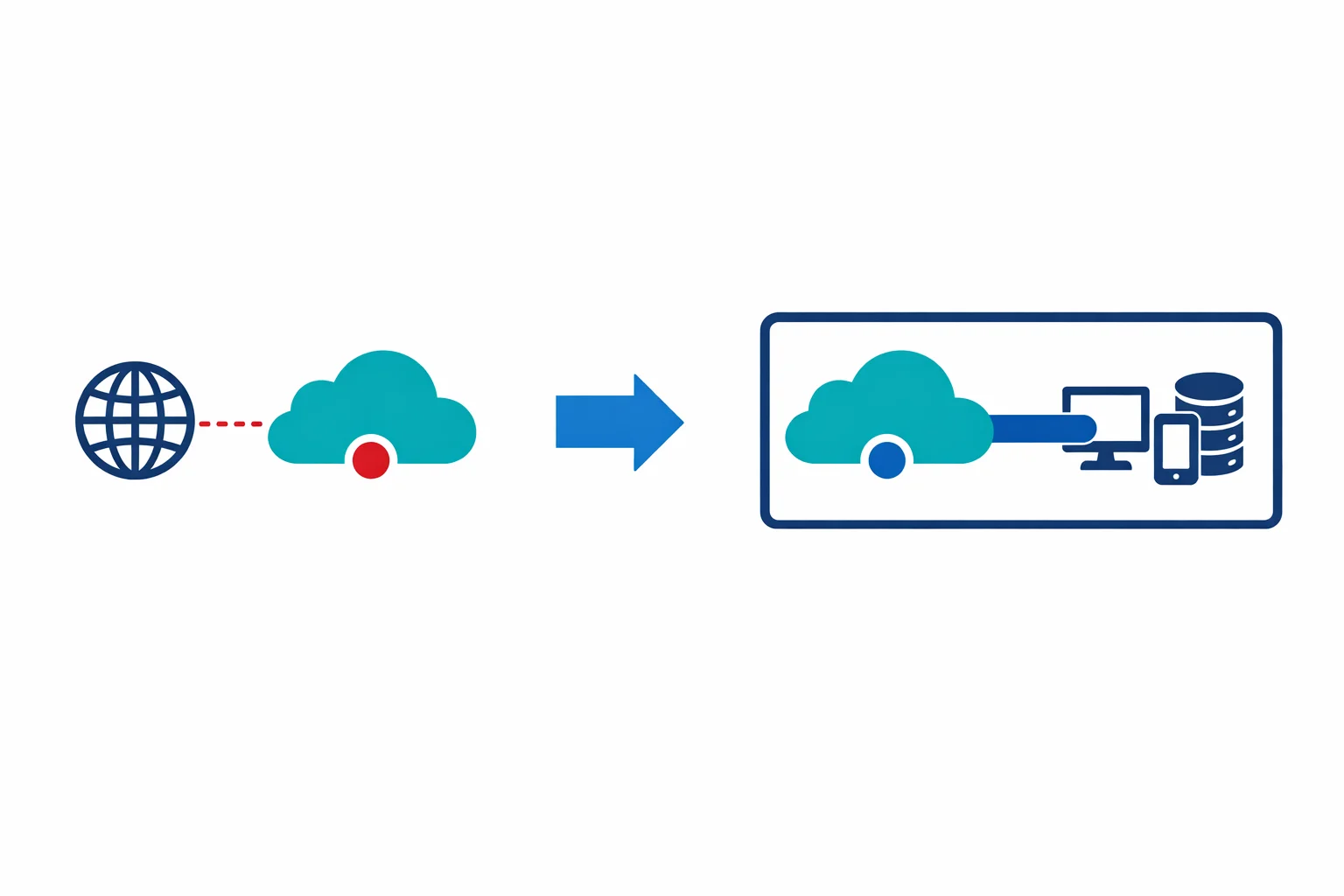
For the entire life of Azure PaaS, there has been an uncomfortable truth: your Storage accounts, SQL databases, and Key Vaults sit on public endpoints. Your data crosses the Microsoft backbone, sure, but the front door is still on the internet. You lock it down with firewall rules and access keys, but the endpoint is reachable from anywhere.
That just changed. Microsoft announced Azure Private Link general availability this month. Private Link lets you access Azure PaaS services over a private endpoint - a network interface with a private IP address in your VNet. The public endpoint is still there, but your traffic never leaves your virtual network.
This isn’t incremental. It rewrites how enterprises consume PaaS.
Before Private Link: The Compromises
We have been working around PaaS public endpoints for years. Each workaround had real limitations:
Service Endpoints (GA since 2018) route traffic to Azure PaaS services over the Microsoft backbone instead of the public internet. Better than nothing, but the service still resolves to a public IP. Your traffic leaves the VNet, hits a public IP, and the service uses the source VNet/subnet identity for authorisation. The problem: the traffic is still going to a public address. You can’t route it through a firewall for inspection. Network monitoring tools don’t see it. And service endpoints don’t work from on-premises - only from within a VNet.
IP firewall rules restrict which source IPs can reach a PaaS service. Workable in theory, brittle in practice. Azure NAT Gateway IPs change. On-premises egress IPs change when ISPs rotate ranges. Maintaining an allow-list of IPs across dozens of PaaS resources becomes a full-time job that nobody signed up for.
VNet injection (for services that support it, like App Service Environment or SQL Managed Instance) deploys the service directly into your VNet. It works, but it is expensive, slow to provision, and only available for a handful of services.
Private Link replaces all three workarounds with a single, consistent model: give the PaaS service a private IP in your network.
Azure docs: Private Link overview · Service Endpoints vs Private Endpoints
How Private Endpoints Work
When you create a private endpoint for a PaaS service, Azure provisions a network interface in the subnet you specify. That NIC gets a private IP from the subnet’s address space - say 10.1.2.5. Traffic from your VNet to the PaaS service now goes to 10.1.2.5 instead of the public endpoint.
Under the hood, Azure uses a technology called Private Link Service, which maps connections from your private endpoint NIC to the PaaS service over a secure, flattened connection within the Azure fabric. Your traffic never enters the public internet. It never even enters the public routing tables.
The important differences from service endpoints:
- Private IP address. The service is reachable at an RFC 1918 address inside your VNet. It looks like any other private resource
- On-premises access. Because it is a private IP, on-premises networks connected via ExpressRoute or VPN can reach it. Service endpoints never supported this
- Firewall visibility. Traffic to a private endpoint follows normal VNet routing. You can route it through Azure Firewall or an NVA, inspect it, log it
- Cross-region support. Private endpoints work across regions. Your VNet in West Europe can have a private endpoint for a Storage account in North Europe
The DNS Complexity (This Is Where Teams Get Stuck)
Here is the part nobody warns you about until it is 11 PM and name resolution is broken across your hub-spoke topology.
When you access a Storage account normally, you resolve mystorageaccount.blob.core.windows.net to a public IP. When you create a private endpoint, you need that same FQDN to resolve to the private IP (10.1.2.5) - otherwise your application still goes to the public endpoint.
Azure handles this through Private DNS Zones. For each service type, there is a corresponding private zone:
Storage Blob:     privatelink.blob.core.windows.net
SQL Database:     privatelink.database.windows.net
Key Vault:        privatelink.vaultcore.azure.net
App Service:      privatelink.azurewebsites.net
Cosmos DB:        privatelink.documents.azure.com
Service Bus:      privatelink.servicebus.windows.net
Event Hubs:       privatelink.servicebus.windows.net
Container Reg:    privatelink.azurecr.io
The list keeps growing. At last count, there are over 40 privatelink.* zone namespaces. Each one needs to exist somewhere in your environment and be linked to the VNets that need to resolve private endpoint addresses.
The resolution chain works like this:
- Client queries
mystorageaccount.blob.core.windows.net - Public DNS returns a CNAME to
mystorageaccount.privatelink.blob.core.windows.net - If the client’s DNS resolver has the
privatelink.blob.core.windows.netprivate zone linked, it resolves to the private IP - If not, the CNAME falls through to public DNS and resolves to the public IP
This is split-brain DNS in practice. The same FQDN resolves differently depending on where you ask. Miss one DNS zone link and your traffic silently routes over the public endpoint. Nothing fails. Nothing alerts. You just lose the private connectivity you thought you had.
Azure docs: Private endpoint DNS configuration · Private DNS zone values
Architecture Pattern: Centralised Private DNS in the Hub
The pattern that works at scale: create all Private DNS Zones in the hub subscription and link them to every spoke VNet.
Hub VNet (connectivity subscription)
├── Private DNS Zone: privatelink.blob.core.windows.net
│   ├── VNet link → Hub VNet
│   ├── VNet link → Spoke-A VNet
│   └── VNet link → Spoke-B VNet
├── Private DNS Zone: privatelink.database.windows.net
│   ├── VNet link → Hub VNet
│   ├── VNet link → Spoke-A VNet
│   └── VNet link → Spoke-B VNet
└── Private DNS Zone: privatelink.vaultcore.azure.net
    ├── VNet link → Hub VNet
    ├── VNet link → Spoke-A VNet
    └── VNet link → Spoke-B VNet
When on-premises clients need to resolve private endpoints, you configure conditional forwarders on your on-premises DNS servers. Forward all privatelink.* queries to a DNS resolver in the hub VNet (an Azure DNS Private Resolver, or a pair of DNS VMs running Windows DNS or BIND). That resolver uses the linked Private DNS Zones and returns the private IP.
This gives you a single source of truth for all private endpoint DNS records. Application teams create private endpoints in their spoke subscriptions. The DNS zone group on the private endpoint automatically registers the A record in the centralised Private DNS Zone. No manual DNS record management.
Azure docs: Private endpoint DNS integration · Azure DNS Private Resolver
Terraform / IaC: The Resource Chain
Private endpoints in Terraform aren’t a single resource. They are a chain, and getting the chain wrong is a common source of deployment failures:
# 1. The Private DNS Zone (usually in a shared/hub module)
resource "azurerm_private_dns_zone" "blob" {
  name                = "privatelink.blob.core.windows.net"
  resource_group_name = azurerm_resource_group.hub.name
}

# 2. VNet links (one per VNet that needs resolution)
resource "azurerm_private_dns_zone_virtual_network_link" "blob_hub" {
  name                  = "link-hub"
  resource_group_name   = azurerm_resource_group.hub.name
  private_dns_zone_name = azurerm_private_dns_zone.blob.name
  virtual_network_id    = azurerm_virtual_network.hub.id
}

# 3. The Private Endpoint (in the spoke/workload module)
resource "azurerm_private_endpoint" "storage" {
  name                = "pe-storage-app1"
  location            = azurerm_resource_group.app.location
  resource_group_name = azurerm_resource_group.app.name
  subnet_id           = azurerm_subnet.endpoints.id

  private_service_connection {
    name                           = "psc-storage-app1"
    private_connection_resource_id = azurerm_storage_account.app1.id
    subresource_names              = ["blob"]
    is_manual_connection           = false
  }

  # 4. DNS Zone Group (auto-registers A record in Private DNS Zone)
  private_dns_zone_group {
    name                 = "default"
    private_dns_zone_ids = [azurerm_private_dns_zone.blob.id]
  }
}
The private_dns_zone_group block is critical. Without it, the private endpoint is created but no DNS record is registered. Your endpoint exists with a private IP that nothing can resolve. We have seen this exact misconfiguration in production - the nslookup returns the public IP, traffic bypasses the private endpoint, and nobody notices until a compliance audit.
Note the subresource_names parameter. A single PaaS resource can have multiple sub-resources: a Storage account has blob, table, queue, file, and dfs. Each one needs its own private endpoint and corresponding DNS zone. A single Storage account can require five private endpoints. Plan your subnet sizing accordingly.
Performance: Private Endpoints vs Service Endpoints
Private endpoints add a small latency overhead compared to service endpoints - typically 0.5-1ms per hop because traffic traverses the NIC and VNet routing. For most enterprise workloads, this is negligible.
Throughput is equivalent. Private endpoints don’t impose bandwidth limits beyond what the VNet and NIC support. In testing, we see identical throughput to service endpoints for bulk operations.
The real performance benefit is architectural. Because private endpoint traffic follows normal VNet routing, it can be peered, routed through firewalls, and monitored with Network Watcher flow logs. You lose the traffic black hole that service endpoints create and gain full network observability.
Common Pitfalls
Forgetting DNS. We said it above and it bears repeating. A private endpoint without DNS zone integration works at the network level but resolves to the public IP. Your application connects over the public endpoint and you never know. Always validate with nslookup or Resolve-DnsName from inside the VNet.
Existing connections still going public. Creating a private endpoint doesn’t automatically disable the public endpoint. You must explicitly set publicNetworkAccess = Disabled on the PaaS resource, or at minimum restrict the public firewall to deny all traffic. If you forget, you have two paths to the same service - private and public - and which one gets used depends entirely on DNS resolution.
NSG rules on private endpoints. As of the GA release, Network Security Groups don’t apply to private endpoint traffic. This is a significant limitation. You can’t use NSGs to restrict which subnets can reach a private endpoint within the same VNet. Microsoft has acknowledged this and NSG support for private endpoints is on the roadmap. Until then, use separate subnets and routing through Azure Firewall for micro-segmentation.
Subnet sizing. Each private endpoint consumes one IP from the subnet. A Storage account with all five sub-resources needs five IPs. Multiply by the number of PaaS resources in a spoke and a /28 subnet fills up fast. We recommend a dedicated /24 subnet for private endpoints in each spoke.
Cross-subscription DNS permissions. If the Private DNS Zone lives in the hub subscription and the private endpoint is in a spoke subscription, the identity deploying the endpoint needs Private DNS Zone Contributor on the hub zone. Miss this and the private_dns_zone_group deployment fails with an opaque authorisation error.
Azure docs: Private endpoint limitations · Private Link pricing
So What?
Private Link is the missing piece that makes PaaS consumption enterprise-ready. For the first time, you can consume Azure PaaS services with the same network security posture as IaaS - private IPs, VNet routing, firewall inspection, and on-premises reachability.
But the DNS complexity is real. Get the centralised Private DNS Zone architecture right from day one. Automate it with Terraform or Bicep so that every new spoke automatically gets DNS zone links. Validate resolution from every network segment - VNet, peered VNet, and on-premises.
Private Link doesn’t make networking simpler. It makes networking correct.
Need help with your WAF or cloud security posture?
We help Azure enterprises turn WAF from a checkbox into a tuned security layer. From log analysis and rule profiling to a fully documented, governance-ready configuration.
More from the blog
Azure Bastion: Why Your VMs Don't Need Public IPs Anymore
Azure Firewall: When Cloud-Native Network Security Finally Makes Sense