Azure Sentinel: What Cloud-Native SIEM Means for Your Security Architecture
In this article
- Why Traditional SIEMs Struggle in the Cloud
- Sentinel’s Architecture
- Data Connectors
- Analytics Rules
- Playbooks (Logic Apps)
- Workbooks
- Design Patterns That Matter
- Multi-Workspace Architecture
- Cost Optimisation with Log Tiers
- Data Collection Rules
- When Sentinel Replaces vs Complements Your Existing SIEM
- KQL: The Query Language Investment
- Integration with the Microsoft Security Ecosystem
- Architecture Decision, Not Product Purchase
On September 24, Microsoft announced Azure Sentinel general availability. If you have been watching the cloud security space, this is the moment the SIEM market shifted. Not because Microsoft built another log aggregator - but because they built a SIEM on top of cloud-native infrastructure that changes the economics and architecture of security operations entirely.
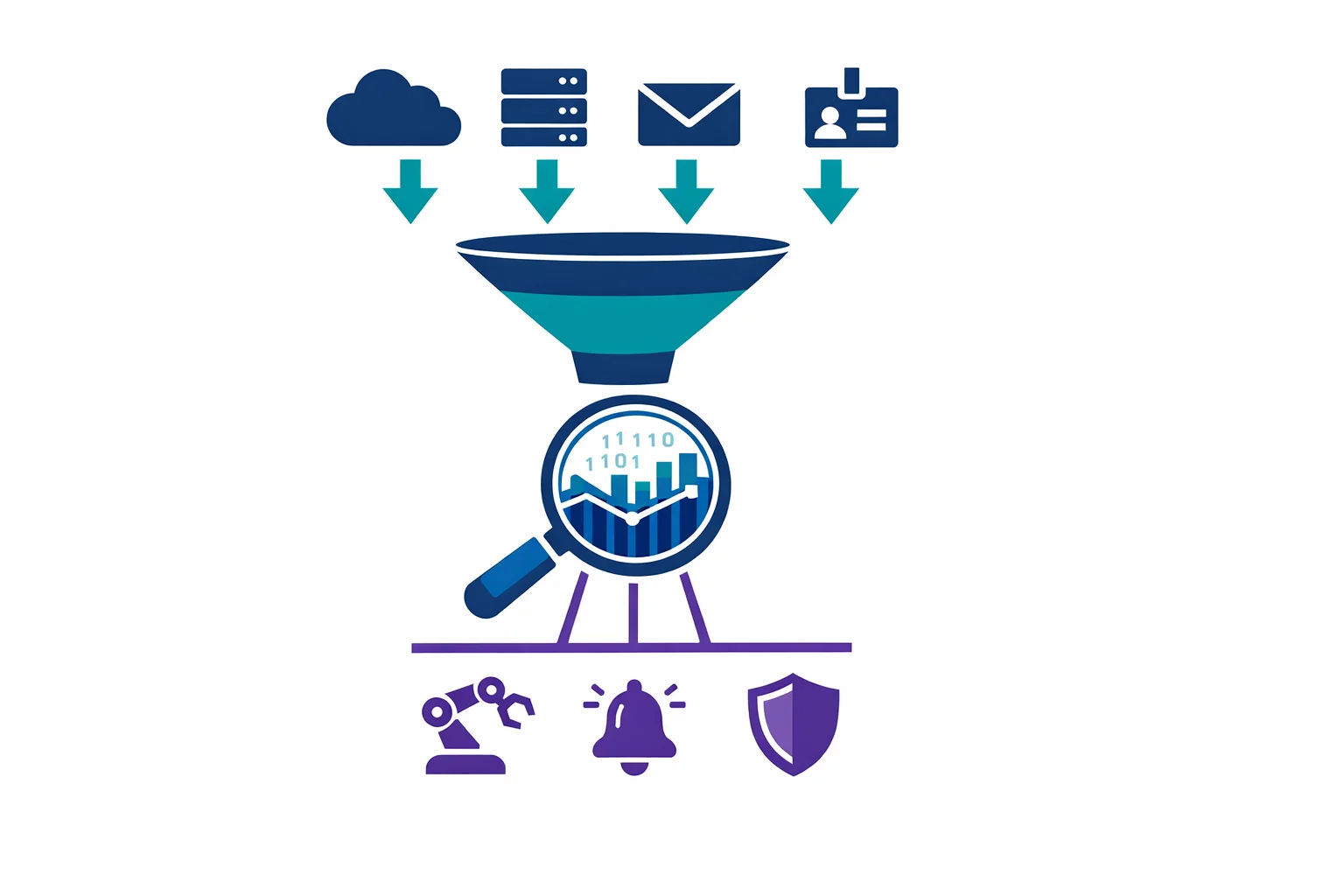
Sentinel is a cloud-native SIEM (Security Information and Event Management) and SOAR (Security Orchestration, Automation, and Response) service built on top of Log Analytics workspaces. No servers to deploy. No storage to manage. No capacity planning for peak ingestion. You point data at it, write detection rules, and build automated response playbooks.
That description sounds like marketing. It is not. The architecture underneath is what matters.
Why Traditional SIEMs Struggle in the Cloud
If you have run Splunk, QRadar, or ArcSight in an enterprise, you know the pain points:
- Scaling is your problem. Ingestion spikes during an incident are exactly when you need your SIEM most - and exactly when on-premises infrastructure struggles. You either over-provision (expensive) or throttle ingestion (dangerous)
- License costs scale with data. Most traditional SIEMs price on daily ingestion volume. As cloud workloads grow and generate more telemetry, SIEM costs grow faster than security budgets. Teams start making bad decisions about what to log based on cost, not risk
- Data gravity works against you. Cloud workloads generate logs in the cloud. Shipping terabytes of cloud telemetry back to an on-premises SIEM adds latency, egress costs, and complexity. The data wants to stay where it was born
- Integration is bolt-on. Connecting cloud-native services - Azure Activity Logs, Entra ID sign-in logs, Microsoft 365 audit logs - to a traditional SIEM means building and maintaining custom ingestion pipelines
Sentinel doesn’t fix these problems incrementally. It sidesteps them by being cloud-native from the ground up.
Azure docs: What is Microsoft Sentinel? · Microsoft Sentinel pricing
Sentinel’s Architecture
Sentinel is built on four pillars. Understanding them is the key to designing a good deployment.
Data Connectors
Connectors are how you get data into Sentinel. Microsoft provides built-in connectors for their own ecosystem - Azure Activity Logs, Entra ID, Microsoft 365, Defender for Cloud - and these work with a few clicks. First-party connectors exist for common third-party sources like AWS CloudTrail, Palo Alto, and CEF/Syslog sources.
The important architectural point: data flows into a Log Analytics workspace. Sentinel is a solution layer on top of that workspace. This means your security data and your operational data can coexist in the same platform, queryable with the same language.
Analytics Rules
These are your detection logic. Sentinel supports scheduled rules (KQL queries that run on a schedule and generate alerts when conditions are met), Microsoft incident creation rules (that promote alerts from Defender products), and near-real-time (NRT) rules for low-latency detection.
Scheduled rules are where architects spend most of their time. A rule defines a query, a schedule, a threshold, and an entity mapping. When the query returns results above the threshold, Sentinel creates an incident and maps entities (users, IPs, hosts) for investigation.
// Example: detect impossible travel - same user authenticating from
// two countries within a short time window
SigninLogs
| where TimeGenerated > ago(1h)
| where ResultType == 0
| summarize Countries = make_set(LocationDetails.countryOrRegion),
            Locations = count()
    by UserPrincipalName
| where array_length(Countries) > 1
Playbooks (Logic Apps)
SOAR in Sentinel means Logic Apps. When an incident is created, a playbook can automatically enrich it (look up IP reputation, check user risk score), contain the threat (disable a user account, isolate a VM), or notify the right people (post to Teams, create a ServiceNow ticket).
This is where Sentinel pulls ahead of traditional SIEMs for cloud-native organisations. Logic Apps already integrate with hundreds of services. Your SOAR capabilities inherit the entire Logic Apps connector ecosystem.
Workbooks
Workbooks are your dashboards and reports. Built on Azure Monitor Workbooks, they provide interactive visualisations driven by KQL queries. Sentinel ships with built-in workbook templates for common data sources - but the real value is building custom workbooks tailored to your environment.
Azure docs: Data connectors reference · Analytics rules overview · Playbooks overview
Design Patterns That Matter
Multi-Workspace Architecture
The default is one Sentinel workspace per tenant. But enterprises often need multiple workspaces for:
- Data residency. GDPR or other regulations may require logs to stay in a specific region. A workspace in West Europe and another in East US keeps data where it needs to be
- Access control boundaries. Different security teams may need isolated views. An MSSP managing multiple clients needs workspace-level separation
- Cost allocation. Separate workspaces make it easier to attribute ingestion costs to different business units
The trade-off: cross-workspace queries are possible but add complexity. Sentinel’s workspace manager and cross-workspace query functions help, but a multi-workspace design should be driven by a genuine requirement, not a preference.
Cost Optimisation with Log Tiers
Not all logs deserve the same treatment. Sentinel supports different log tiers:
- Analytics logs - full query capability, used for security-relevant data that drives detections. This is the default and most expensive tier
- Basic logs - lower cost, limited query capability (8-day interactive retention). Good for high-volume, low-signal data like raw NetFlow or verbose firewall logs that you need for investigations but not for scheduled detections
Getting this right is critical. We have seen organisations ingest everything at the analytics tier and wonder why their Sentinel bill is ten times their expectation. Design your data collection strategy before enabling connectors.
Data Collection Rules
Data Collection Rules (DCRs) let you filter and transform data before it hits the workspace. This is your most powerful cost control. If you don’t need Windows Security Event IDs 4688 (process creation) from every server - filter them out at collection time, not after ingestion.
Azure docs: Best practices for data collection · Data collection rules
When Sentinel Replaces vs Complements Your Existing SIEM
This is the question every enterprise security architect is asking. The honest answer depends on your environment:
Sentinel replaces your SIEM when:
- Your workloads are predominantly in Azure and Microsoft 365
- Your existing SIEM is due for renewal and the cost trajectory is unsustainable
- Your security team is ready to invest in KQL and Logic Apps
- You want native integration with Microsoft’s Defender product family
Sentinel complements your SIEM when:
- You have significant on-premises infrastructure that generates security telemetry better suited to an on-premises collector
- Your existing SIEM has years of custom detections and workflows that represent institutional knowledge
- Regulatory requirements mandate a specific SIEM product
- Your SOC team has deep expertise in another platform and a migration would disrupt operations during a critical period
The hybrid approach is common and practical: run Sentinel for cloud-native workloads alongside your existing SIEM for on-premises. Use CEF, Syslog, or API-based forwarding to share relevant alerts between platforms during a transition period.
KQL: The Query Language Investment
Sentinel runs on Kusto Query Language (KQL). If your team knows SQL, KQL will feel familiar but different. It is a pipe-based language - you start with a table and chain operators to filter, aggregate, join, and visualise.
KQL isn’t just for Sentinel. It is the query language for Log Analytics, Azure Data Explorer, Azure Resource Graph, and Microsoft Defender products. Investing in KQL skills pays dividends across the entire Microsoft security and operations stack.
The learning curve is real. Budget time for it. Run KQL workshops, build a library of shared queries, and start with the built-in hunting queries that Sentinel provides as templates.
Azure docs: KQL overview · Sentinel hunting queries
Integration with the Microsoft Security Ecosystem
Sentinel’s strongest architectural advantage is its native integration with the broader Microsoft security stack:
- Defender for Cloud surfaces security posture and threat alerts directly into Sentinel incidents - no custom connector needed
- Microsoft 365 Defender (Defender for Endpoint, Defender for Identity, Defender for Office 365) shares signals with Sentinel for correlated, cross-domain investigations
- Entra ID Protection feeds risky user and sign-in signals into Sentinel analytics rules
- Third-party sources connect through CEF, Syslog, REST API, or partner-built connectors
The result is a security operations platform where cloud identity signals, endpoint telemetry, email threats, and infrastructure alerts all land in one place, queryable with one language, and automatable with one playbook engine.
Azure docs: Microsoft Defender for Cloud connector · Microsoft 365 Defender connector
Architecture Decision, Not Product Purchase
Forget “SIEM in the cloud.” Sentinel is a different architecture entirely - compute scales automatically, pricing follows ingestion rather than infrastructure, and cloud-native integration is built in rather than bolted on.
That said, it isn’t a migration you do in a weekend. Plan your workspace architecture, design your data collection strategy around cost tiers, invest in KQL, and be honest about whether your environment is ready for a full replacement or a hybrid approach.
The organisations that will get the most value from Sentinel are those that treat it as an architecture decision, not a product purchase.
Need help with your WAF or cloud security posture?
We help Azure enterprises turn WAF from a checkbox into a tuned security layer. From log analysis and rule profiling to a fully documented, governance-ready configuration.
More from the blog
Azure Private Link: How It Changed the Enterprise PaaS Playbook
Azure Bastion: Why Your VMs Don't Need Public IPs Anymore