Azure Static Web Apps: The Jamstack Platform Azure Was Missing
In this article
- What You Get Out of the Box
- Framework Support
- PR Preview Environments - The Killer Feature
- The Serverless API Layer
- Authentication Without Auth Code
- Routing Configuration
- Static Web Apps vs App Service vs Storage + CDN
- Free Tier vs Standard Tier
- Custom Domains and SSL
- Where It Shines, Where It Doesn’t
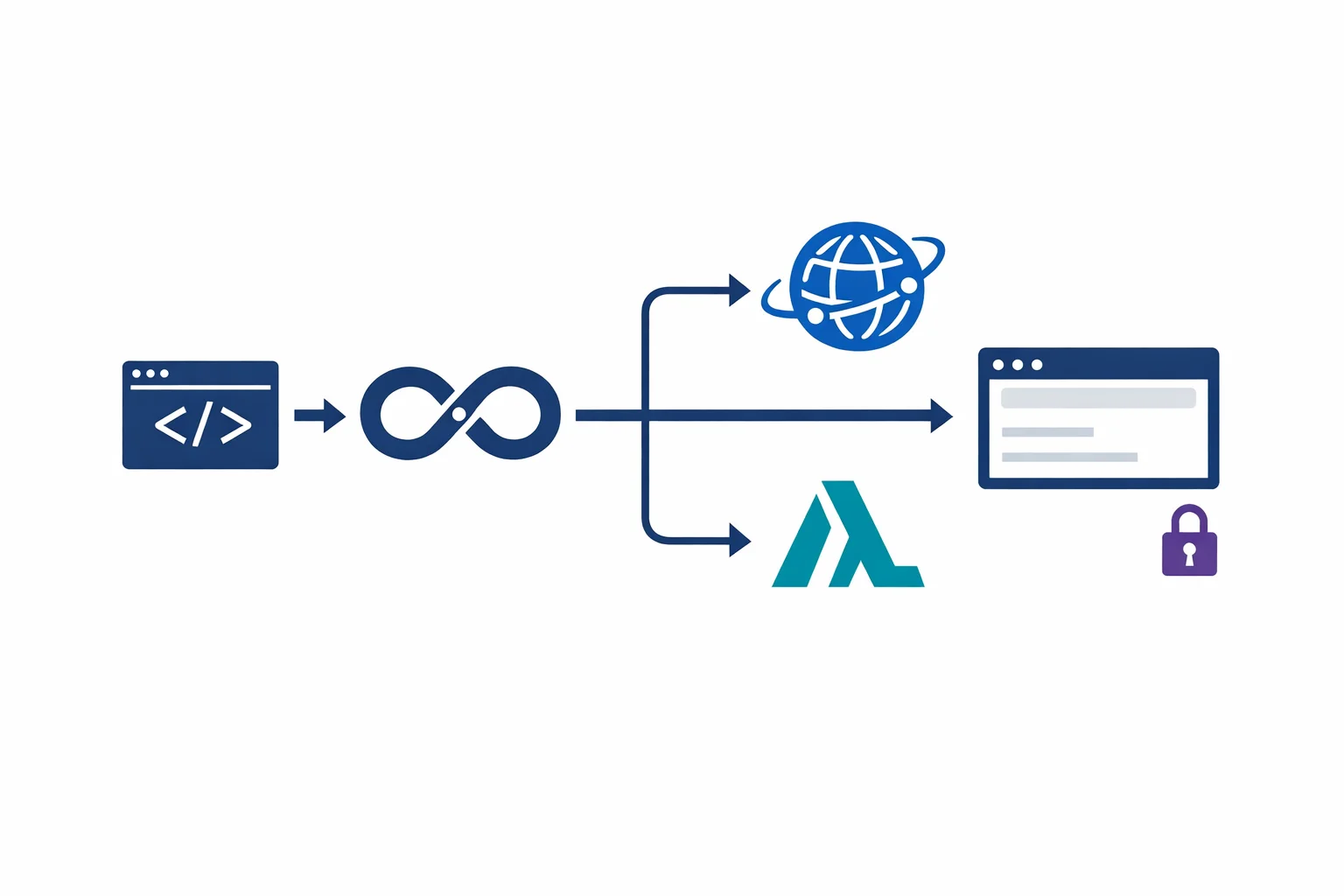
Azure has had plenty of ways to host a website for years: App Service, Blob Storage with a CDN, even a full Kubernetes cluster if you felt like overengineering it. What it didn’t have was a first-class platform for static sites and single-page applications that understood the Jamstack model natively. That changed this month when Azure Static Web Apps hit general availability.
We’ve been running Static Web Apps in preview for client projects since late 2020. The GA release makes it production-ready with an SLA, and for SPAs and static sites on Azure, it’s now the default recommendation we give every team.
What You Get Out of the Box
Static Web Apps bundles several things that you’d normally wire together yourself:
- Global CDN hosting - your static assets are distributed across Azure’s edge network automatically. No CDN profile to configure, no origin rules to manage.
- Serverless API backend - an integrated Azure Functions app lives alongside your frontend in the same repository, deployed together. Your API routes live under
/api/*. - Built-in authentication - GitHub, Twitter, Azure AD, and custom OpenID Connect providers work without writing auth code.
- PR preview environments - every pull request gets its own staged environment with a unique URL. This is the killer feature.
- Free SSL certificates - automatic provisioning and renewal for custom domains.
- Fallback routing - SPA-friendly routing configuration so your client-side routes don’t 404 on refresh.
Azure docs: Azure Static Web Apps overview · GA announcement
Framework Support
Static Web Apps doesn’t care what generates your HTML. If your build process outputs static files, it works. We’ve deployed React, Vue, Angular, Astro, Hugo, Svelte, and Next.js (static export via next export - SSR/ISR requires different hosting). The build system auto-detects most frameworks. You point it at your repo, tell it where the build output goes, and it figures out the rest.
PR Preview Environments - The Killer Feature
PR preview environments pull Static Web Apps ahead of every other Azure hosting option. When you open a pull request in GitHub or Azure DevOps, the CI/CD pipeline automatically builds and deploys your branch to a temporary environment with a unique URL.
Your team can review frontend changes on a live URL before merging. QA can test against it. Designers can see their work. When the PR is merged or closed, the preview environment is cleaned up automatically.
No staging slots to manage. No manual deployments to a test environment. No “can you deploy that branch so I can see it?” messages in Slack.
For teams that ship frequently, this feature alone justifies choosing Static Web Apps over App Service for frontend projects.
The Serverless API Layer
The /api directory in your repository contains Azure Functions that deploy alongside your frontend. Same repo, same CI/CD pipeline, same deployment. A typical project structure looks like this:
├── src/              # Frontend (React, Vue, etc.)
├── api/
│   ├── get-products/
│   │   └── index.js
│   ├── submit-order/
│   │   └── index.js
│   └── package.json
├── staticwebapp.config.json
└── package.json
The API Functions are accessible at /api/get-products, /api/submit-order, etc. No CORS needed since frontend and API share the same domain. Authentication context flows automatically via the x-ms-client-principal header.
The limitation: these are managed Azure Functions. You don’t control the host configuration, you’re limited to HTTP triggers, and you can’t use Durable Functions. If you need Service Bus triggers, timers, or more control, you’ll need to link a separate Functions app.
Azure docs: Add an API to Static Web Apps · Bring your own Functions app
Authentication Without Auth Code
Static Web Apps provides built-in authentication routes - /.auth/login/github, /.auth/login/aad, /.auth/login/twitter, /.auth/me, and /.auth/logout - that work without any backend code. You can protect routes by role in the staticwebapp.config.json:
{
  "routes": [
    {
      "route": "/admin/*",
      "allowedRoles": ["admin"]
    },
    {
      "route": "/dashboard/*",
      "allowedRoles": ["authenticated"]
    }
  ]
}
For enterprise scenarios, you can register custom OpenID Connect providers. We’ve used this to integrate with on-premise ADFS and third-party identity providers that the built-in options don’t cover.
Azure docs: Authentication and authorization · Custom authentication
Routing Configuration
The staticwebapp.config.json file controls routing, headers, and access rules:
{
  "navigationFallback": {
    "rewrite": "/index.html",
    "exclude": ["/images/*", "/api/*", "*.css", "*.js"]
  },
  "routes": [
    { "route": "/old-page", "redirect": "/new-page", "statusCode": 301 }
  ],
  "globalHeaders": {
    "X-Content-Type-Options": "nosniff",
    "X-Frame-Options": "DENY"
  },
  "responseOverrides": {
    "404": { "rewrite": "/404.html" }
  }
}
The navigationFallback block is essential for SPAs. Without it, refreshing on /dashboard/settings returns a 404 because there’s no physical file at that path. The exclude list prevents your API calls and static assets from being rewritten to index.html.
Azure docs: Configuration file reference
Static Web Apps vs App Service vs Storage + CDN
The question we get most often: when should you use Static Web Apps instead of the alternatives?
| Scenario | Recommendation |
|---|---|
| SPA with a small API layer | Static Web Apps - purpose-built for this |
| Static marketing site or documentation | Static Web Apps - simplest deployment model |
| Server-rendered app (Next.js SSR, Nuxt SSR) | App Service or Container Apps - you need a server |
| Legacy app with server-side logic | App Service - Static Web Apps can’t run server code |
| Static files only, no API, no auth | Storage + CDN - cheaper if you don’t need the extras |
| Enterprise app with complex backend | App Service + separate API - you’ll outgrow the managed Functions API |
The sweet spot is clear: frontend-heavy applications with modest API needs. A React dashboard calling a handful of endpoints. A docs site built with Astro. A marketing site with a contact form. The moment you need WebSockets, background processing, or a backend beyond simple HTTP request/response, you’re looking at a different architecture.
Free Tier vs Standard Tier
The free tier is generous enough for personal projects and small production sites:
| Feature | Free | Standard |
|---|---|---|
| Custom domains | 2 | 5 |
| Storage | 250 MB | 500 MB |
| Bandwidth | 100 GB/month | Included with Azure CDN pricing |
| Staging environments | 3 | 10 |
| Azure Functions execution | Managed only | Managed or bring your own |
| SLA | None | 99.95% |
| Price | $0 | ~$9/month |
The Standard tier at roughly $9/month is still remarkably cheap compared to App Service (minimum ~$13/month for B1). For most SPA deployments, the free tier covers everything you need during development and early production.
Azure docs: Static Web Apps pricing · Quotas and limits
Custom Domains and SSL
Adding a custom domain takes about two minutes: create a CNAME record pointing to your Static Web App’s default hostname, validate it in the portal or CLI, and SSL is provisioned automatically. No certificate to purchase, no renewal to manage, no Key Vault integration needed. For apex domains (contoso.com without www), you’ll need an ALIAS record or Azure DNS.
az staticwebapp hostname set --name my-app --hostname www.contoso.comAzure docs: Custom domains
Where It Shines, Where It Doesn’t
For SPAs and static sites on Azure, Static Web Apps is the best deployment option available today. Global CDN, serverless API, built-in auth, PR previews, free SSL - all in a managed service that costs $0 to start. The alternatives are hard to justify for this category of application.
But you will outgrow it. The managed Functions API has real constraints. Storage limits are tight for media-heavy sites. There’s no server-side rendering. No WebSocket support. The moment your project needs any of these, you’re migrating to App Service or Container Apps.
Start with Static Web Apps for any new frontend project on Azure. Enjoy the simplicity. When the constraints start pinching - and you’ll know when they do - you’ll have a clear frontend to extract and a clear API to move to a standalone Functions app. That’s not a failure of the platform. That’s a sign your project grew.
Looking for Azure architecture guidance?
We design and build Azure foundations that scale - landing zones, networking, identity, and governance tailored to your organisation.
More from the blog
From Kubernetes to $0.50/month: Migrating a Real-Time App to AWS Serverless
Azure AD Is Now Entra ID: What Actually Changed and What You Need to Update