Why Every Azure Enterprise Needs a WAF Analysis Methodology
In this article
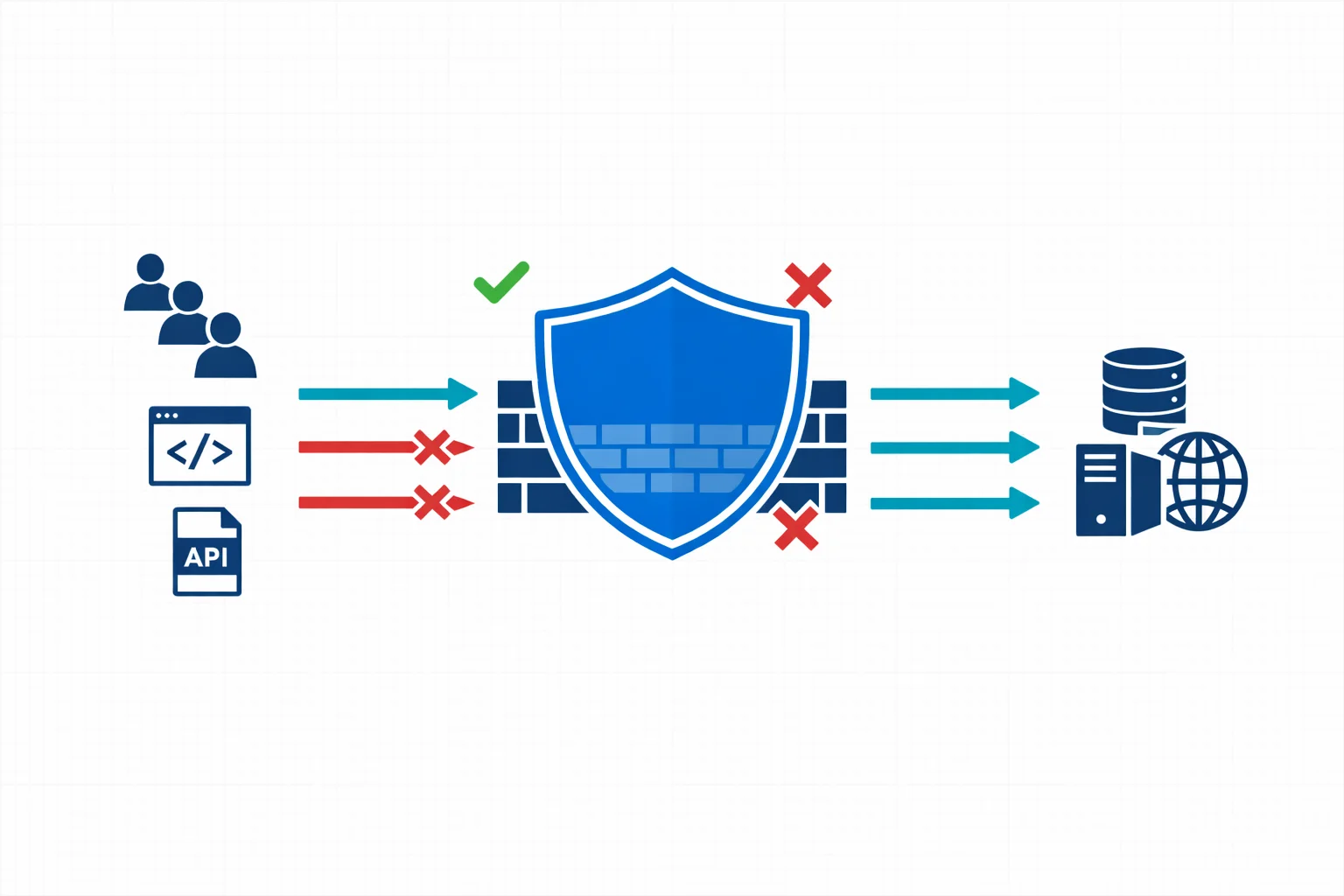
If you run web applications on Azure, chances are you have a Web Application Firewall sitting in front of them. Azure WAF, whether deployed on Application Gateway or Front Door, is one of the most common security controls in enterprise Azure environments. It is also one of the most misunderstood.
Too many organisations treat WAF as a deploy-and-forget checkbox. The managed rule sets get enabled, detection mode runs for a week, and then someone switches to prevention mode. Six months later, the security team is drowning in alerts they can’t interpret and the application team is frustrated by false positives blocking legitimate traffic.
There is a better way. A structured WAF analysis methodology turns your firewall from a noisy gatekeeper into an actionable security layer.
The Problem With “Default WAF”
Azure WAF ships with OWASP Core Rule Set (CRS) managed rules that cover a broad range of attack patterns: SQL injection, cross-site scripting, remote code execution, and more. These rules are well-maintained and regularly updated by Microsoft.
But here is the thing: managed rules are generic by design. They protect against common attack vectors without knowing anything about your specific application. This mismatch creates two problems:
-
False positives that block legitimate requests. A content management system that accepts HTML input will trigger XSS rules. An API that receives Base64-encoded payloads will trip SQL injection detection. These aren’t attacks; they are normal traffic patterns that happen to match broad signatures.
-
Alert fatigue that buries real threats. When your WAF generates thousands of detection-mode alerts per day, most of them benign, the security team stops looking. The one genuine SQL injection attempt gets lost in the noise.
Both problems have the same root cause: the WAF isn’t tuned to your application, and nobody has a systematic process to fix that.
Azure docs: Azure WAF overview · CRS managed rule groups
What a WAF Analysis Methodology Looks Like
A proper methodology isn’t complicated, but it does require discipline. These are the core phases we use when working with enterprise Azure environments:
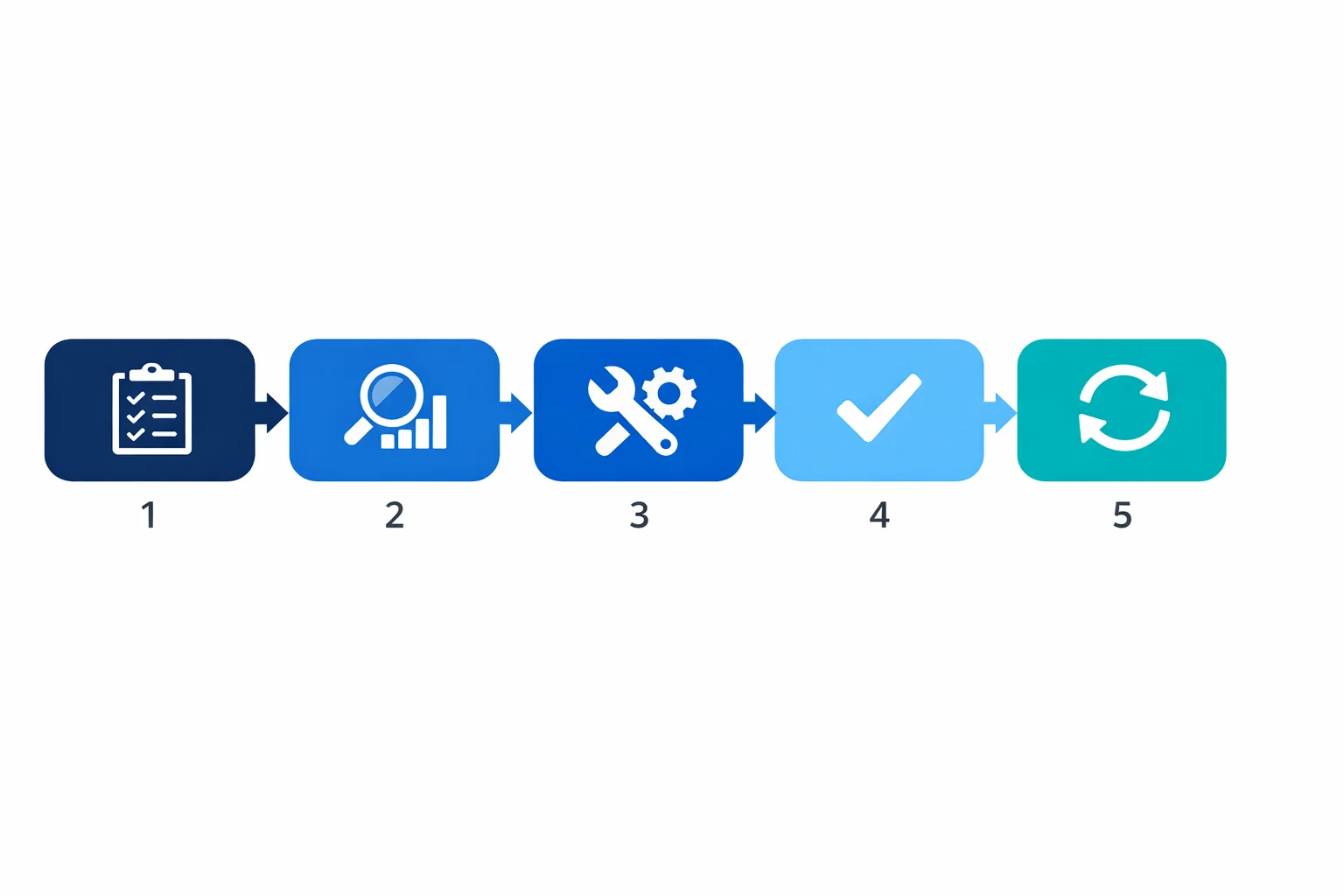
Phase 1: Baseline and Inventory
Before touching any rules, you need to understand what you are protecting. This means building an inventory of:
- Applications behind the WAF - their technology stacks, expected traffic patterns, and data sensitivity levels
- Current WAF configuration - which policy is attached to which listener, what mode it runs in, which rule groups are enabled or disabled
- Traffic volumes and patterns - peak hours, geographic distribution, API vs browser traffic ratios
This phase often reveals surprises. We regularly find WAF policies with dozens of per-rule exclusions that nobody can explain, or applications that were added to an Application Gateway months ago without updating the WAF policy.
Phase 2: Log Analysis and Rule Profiling
With the baseline in place, you move to the data. Azure WAF logs - whether in Log Analytics, a storage account, or streamed to Microsoft Sentinel - contain everything you need to understand how rules interact with your traffic.
The key is structured analysis, not just scrolling through log entries. For each triggered rule, you want to answer:
- Is this a true positive, false positive, or noise? A true positive is an actual attack attempt. A false positive is legitimate traffic incorrectly flagged. Noise is irrelevant traffic (bots, scanners) that triggers rules but poses no real threat.
- What is the frequency and pattern? A rule that fires once a month is different from one that fires a thousand times a day. Frequency helps prioritise tuning efforts.
- What is the source? Internal users, external customers, known partners, or anonymous internet traffic? The answer changes the risk calculus.
We typically build KQL queries that aggregate WAF logs by rule ID, action, URI, and source IP - then cross-reference against application team input to classify each pattern.
Here is a starting point for profiling your most-triggered rules:
AzureDiagnostics
| where Category == "ApplicationGatewayFirewallLog"
| where TimeGenerated > ago(7d)
| summarize
    HitCount = count(),
    DistinctSources = dcount(clientIp_s),
    SampleURIs = make_set(requestUri_s, 3)
  by ruleId_s, action_s, ruleGroup_s
| order by HitCount desc
| take 20
Azure docs: WAF log fields and categories · Log Analytics overview · KQL reference
Phase 3: Tuning and Exclusion Engineering
Armed with data, you can now make informed tuning decisions:
- Disable rules that are fundamentally incompatible with your application and can’t be addressed with exclusions. This should be rare and always documented.
- Create targeted exclusions for specific request fields (headers, cookies, query parameters) that trigger false positives. The key word is targeted - exclude the minimum scope necessary.
- Implement custom rules where managed rules don’t cover application-specific threats. Rate limiting, geo-blocking, and URI-based access control are common examples.
Every change should be documented with a rationale. Six months from now, someone will ask why rule 942130 is excluded for the /api/content endpoint. If the answer is “I don’t know, it was already like that,” you have a governance problem.
Azure docs: WAF exclusion lists · Custom WAF rules
Phase 4: Validation and Promotion
After tuning in detection mode, you validate the changes:
- Run the tuned policy in detection mode alongside production traffic for a defined period
- Verify that false positive counts have dropped to an acceptable level
- Confirm that no new blind spots have been introduced by checking that known attack patterns still trigger alerts
- Promote to prevention mode with confidence
Phase 5: Ongoing Governance
WAF analysis isn’t a one-time project. Applications change, new endpoints get deployed, Microsoft updates managed rule sets, and threat patterns evolve. A sustainable methodology includes:
- Regular review cadence - monthly or quarterly log analysis to catch new false positive patterns or configuration drift
- Change integration - WAF policy reviews as part of the application deployment pipeline, not as an afterthought
- Metrics and reporting - track false positive rates, rule coverage, and mean time to tune as KPIs
Why This Matters Beyond Security
A well-tuned WAF does more than block attacks. It gives you operational confidence.
Application teams trust the WAF instead of fighting it. Security teams can focus on genuine threats instead of triaging noise. Compliance auditors see documented, justified controls instead of default configurations with unexplained exceptions.
For organisations operating under NIS2 or similar regulatory frameworks, a documented WAF methodology is exactly the kind of “appropriate and proportionate” technical measure that auditors want to see. It demonstrates that security controls aren’t just deployed; they are understood, maintained, and continuously improved.
Azure docs: WAF best practices · Microsoft Sentinel overview
Getting Started
You don’t need to build this methodology from scratch. Start with what you have:
- Export your current WAF logs from Log Analytics. Even a week of data gives you a starting point.
- Identify the top 10 most frequently triggered rules. For each one, determine whether it is a true positive, false positive, or noise.
- Document your current WAF configuration. Which rules are enabled? Which are excluded? Does anyone know why?
- Establish a review cadence. Even monthly reviews are a massive improvement over the deploy-and-forget approach.
The goal isn’t perfection; it is a repeatable process that improves over time. Every enterprise we work with that adopts a structured approach sees measurable improvements: fewer false positives, faster tuning cycles, and WAF policies that the team actually understands and trusts.
Your WAF is only as good as the methodology behind it. Make it count.
Need help with your WAF or cloud security posture?
We help Azure enterprises turn WAF from a checkbox into a tuned security layer. From log analysis and rule profiling to a fully documented, governance-ready configuration.
More from the blog
Defender for Cloud: Microsoft's Multi-Cloud Security Posture Play
Azure Private Link: How It Changed the Enterprise PaaS Playbook