GitHub Actions for Azure: When It Makes Sense to Leave Azure Pipelines
In this article
- What Microsoft Ships for GitHub Actions
- GitHub Actions vs Azure Pipelines - The Honest Comparison
- OIDC Federation: No More Service Principal Secrets
- Practical Workflow: Terraform Plan on PR, Apply on Merge
- Reusable Workflows: Standardizing Across Teams
- Self-Hosted Runners on Azure
- The Cost Model
- Environments and Deployment Protection
- Our Take
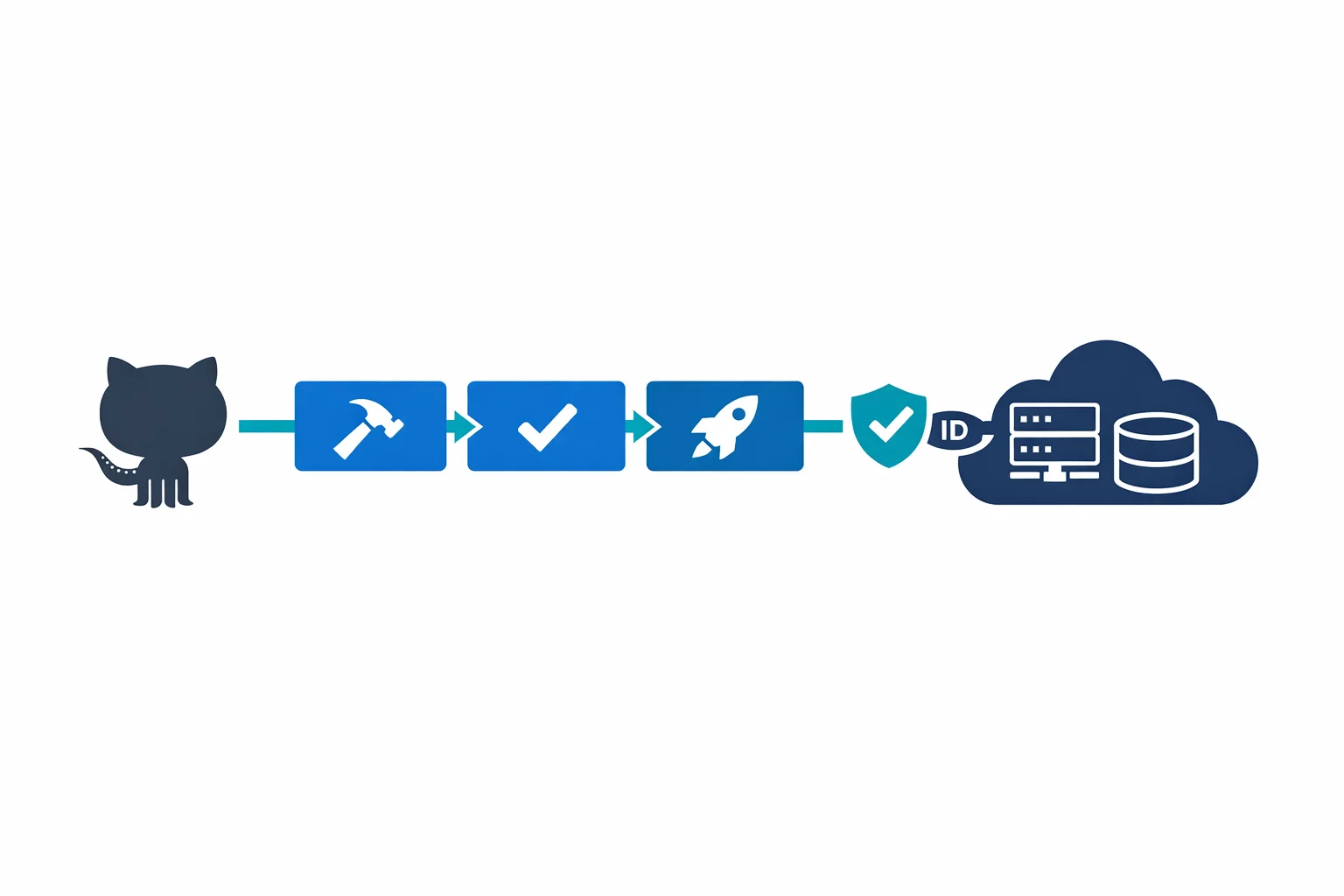
GitHub Actions has matured rapidly since Microsoft started shipping Azure-specific actions in late 2019. There are now official actions for App Service, Azure Functions, AKS, Container Registry, and Terraform deployments - all maintained by Microsoft. With OIDC federation, reusable workflows, and deployment environments now stable, GitHub Actions is a genuine alternative to Azure Pipelines for Azure deployments.
We’ve migrated enterprise CI/CD pipelines from Azure Pipelines to GitHub Actions for several clients over the past two years. Some migrations were clearly the right call. A few weren’t. This is what we’ve learned about when to switch and how to do it well.
What Microsoft Ships for GitHub Actions
The Azure GitHub Actions repository is the starting point. Microsoft maintains actions for App Service (azure/webapps-deploy), Azure Functions (azure/functions-action), AKS (azure/aks-set-context, azure/k8s-deploy), Container Registry (azure/docker-login), Azure CLI (azure/cli), and ARM/Bicep deployments (azure/arm-deploy).
These aren’t community wrappers. They are built by Azure DevOps engineers at Microsoft. The same team that builds Azure Pipelines is building these actions. That matters for long-term support.
GitHub docs: GitHub Actions for Azure - Deploying to Azure
GitHub Actions vs Azure Pipelines - The Honest Comparison
Where GitHub Actions wins:
- Developer experience. Workflows live in
.github/workflows/right next to the code. No jumping between portals - Marketplace ecosystem. 15,000+ community actions for everything from Terraform plan comments to security scanning
- YAML simplicity. More readable than Azure Pipelines YAML - fewer indirection layers, less template expression overload
- Pull request integration. Status checks, required reviews, and deployment previews are native to the platform
Where Azure Pipelines still has the edge:
- Pipeline orchestration. Multi-stage pipelines with complex dependency graphs, manual approvals across stages, and deployment queuing are more mature
- Self-hosted agent pools. Auto-scaling VM scale sets are production-hardened. GitHub self-hosted runners require more setup
- Release gates. Pre- and post-deployment gates that query external systems - Azure Monitor alerts, REST API health checks - before proceeding. GitHub doesn’t have a direct equivalent
Azure docs: Azure Pipelines vs GitHub Actions - GitHub Actions environments
OIDC Federation: No More Service Principal Secrets
This is the single best reason to move your Azure deployments to GitHub Actions. Workload identity federation lets your workflows authenticate to Azure without storing any secrets in GitHub. The old way: create a service principal, export its client secret, store it in GitHub, rotate it every few months. The new way: create a federated identity credential on your Azure AD app that trusts GitHub’s OIDC provider. Workflows exchange a short-lived GitHub token for an Azure AD access token. No secrets stored anywhere.
permissions:
  id-token: write
  contents: read

jobs:
  deploy:
    runs-on: ubuntu-latest
    environment: production
    steps:
      - uses: actions/checkout@v3
      - uses: azure/login@v1
        with:
          client-id: ${{ secrets.AZURE_CLIENT_ID }}
          tenant-id: ${{ secrets.AZURE_TENANT_ID }}
          subscription-id: ${{ secrets.AZURE_SUBSCRIPTION_ID }}
      - uses: azure/webapps-deploy@v2
        with:
          app-name: my-app
          package: ./dist
Notice there’s no client-secret in that login step. The id-token: write permission enables OIDC. The AZURE_CLIENT_ID isn’t a secret in the traditional sense - it’s a public identifier. Authentication happens through token exchange, and tokens are short-lived and scoped to the workflow run.
Azure docs: Workload identity federation for GitHub Actions - Configure OIDC in Azure
Practical Workflow: Terraform Plan on PR, Apply on Merge
The workflow pattern we deploy most often. Plan runs on every pull request, apply runs on merge to main, and path filtering ensures only infrastructure changes trigger the pipeline:
name: Terraform
on:
  pull_request:
    paths: ['infra/**']
  push:
    branches: [main]
    paths: ['infra/**']
permissions:
  id-token: write
  contents: read
  pull-requests: write
jobs:
  plan:
    if: github.event_name == 'pull_request'
    runs-on: ubuntu-latest
    environment: planning
    steps:
      - uses: actions/checkout@v3
      - uses: azure/login@v1
        with:
          client-id: ${{ secrets.AZURE_CLIENT_ID }}
          tenant-id: ${{ secrets.AZURE_TENANT_ID }}
          subscription-id: ${{ secrets.AZURE_SUBSCRIPTION_ID }}
      - uses: hashicorp/setup-terraform@v2
      - run: terraform init && terraform plan -no-color -out=tfplan
        working-directory: infra
  apply:
    if: github.ref == 'refs/heads/main' && github.event_name == 'push'
    runs-on: ubuntu-latest
    environment: production
    steps:
      - uses: actions/checkout@v3
      - uses: azure/login@v1
        with:
          client-id: ${{ secrets.AZURE_CLIENT_ID }}
          tenant-id: ${{ secrets.AZURE_TENANT_ID }}
          subscription-id: ${{ secrets.AZURE_SUBSCRIPTION_ID }}
      - uses: hashicorp/setup-terraform@v2
      - run: terraform init && terraform apply -auto-approve
        working-directory: infra
The environment: production line on the apply job enables deployment protection rules - manual approvals, branch restrictions, and wait timers - all configured in repository settings, not in the workflow file.
Reusable Workflows: Standardizing Across Teams
Reusable workflows let you define a deployment template in a central repository and call it from any other repo. Define workflow_call inputs, wire up OIDC and deployment steps once, and consuming teams reference it:
# Consuming team's workflow - that's it
jobs:
  deploy:
    uses: my-org/shared-workflows/.github/workflows/deploy-app-service.yml@main
    with:
      app-name: my-team-app
      environment: production
    secrets: inherit
The platform team controls the deployment logic. Application teams control the inputs. Same separation of concerns you’d build in Azure Pipelines with template repositories - but with a cleaner interface.
GitHub docs: Reusable workflows - Required workflows
Self-Hosted Runners on Azure
GitHub-hosted runners work for most deployments. But if you need private VNet access - talking to a database, calling an internal API, pushing to a private container registry - provision a runner inside your network on a VM or container instance and register it with your GitHub org. For auto-scaling, use VMSS with a webhook-based scale controller. The tradeoff: you own the patching, scaling, and security hardening. Use self-hosted runners only when network access requires it.
The Cost Model
GitHub Actions gives public repos free unlimited minutes. Private repos get 2,000 free minutes/month, then $0.008 per minute for Linux runners. Azure Pipelines gives you 1,800 free minutes and one free parallel job, with additional parallel jobs at $40/month each.
For most teams, the costs are comparable. GitHub Actions tends to be cheaper with many small repos and infrequent builds (per-minute pricing). Azure Pipelines is cheaper with few repos and heavy concurrent builds (per-parallel-job pricing).
Environments and Deployment Protection
GitHub environments let you configure production guardrails: required reviewers, wait timers, branch restrictions, and environment-scoped secrets so dev workflows can’t touch production credentials. This covers 80% of what teams use Azure Pipelines approval gates for. The remaining 20%, querying external systems, custom gate logic, and multi-stage approval chains, still favors Azure Pipelines.
Our Take
If your code is on GitHub, your CI/CD should probably be on GitHub Actions. The developer experience is better, OIDC federation eliminates credential management headaches, and Microsoft’s investment in Azure-specific actions shows this isn’t a side project.
But “probably” is doing work in that sentence. If you need complex multi-stage orchestration with dozens of interdependent pipelines, Azure Pipelines is still the more capable tool. If you have heavy self-hosted runner requirements with auto-scaling needs, Azure DevOps agent pools are more mature.
The migration pattern that works: start new projects on GitHub Actions, move existing pipelines incrementally, and don’t try to replicate a 500-line Azure Pipelines YAML on day one. Rethink the workflow from scratch. The teams that succeed treat migration as an opportunity to simplify, not a one-to-one translation exercise.
Azure docs: GitHub Actions for Azure documentation - Migrate from Azure Pipelines to GitHub Actions
Ready to automate your infrastructure?
From Infrastructure as Code to CI/CD pipelines, we help teams ship faster with confidence and less manual overhead.