Defender for Cloud: Microsoft's Multi-Cloud Security Posture Play
In this article
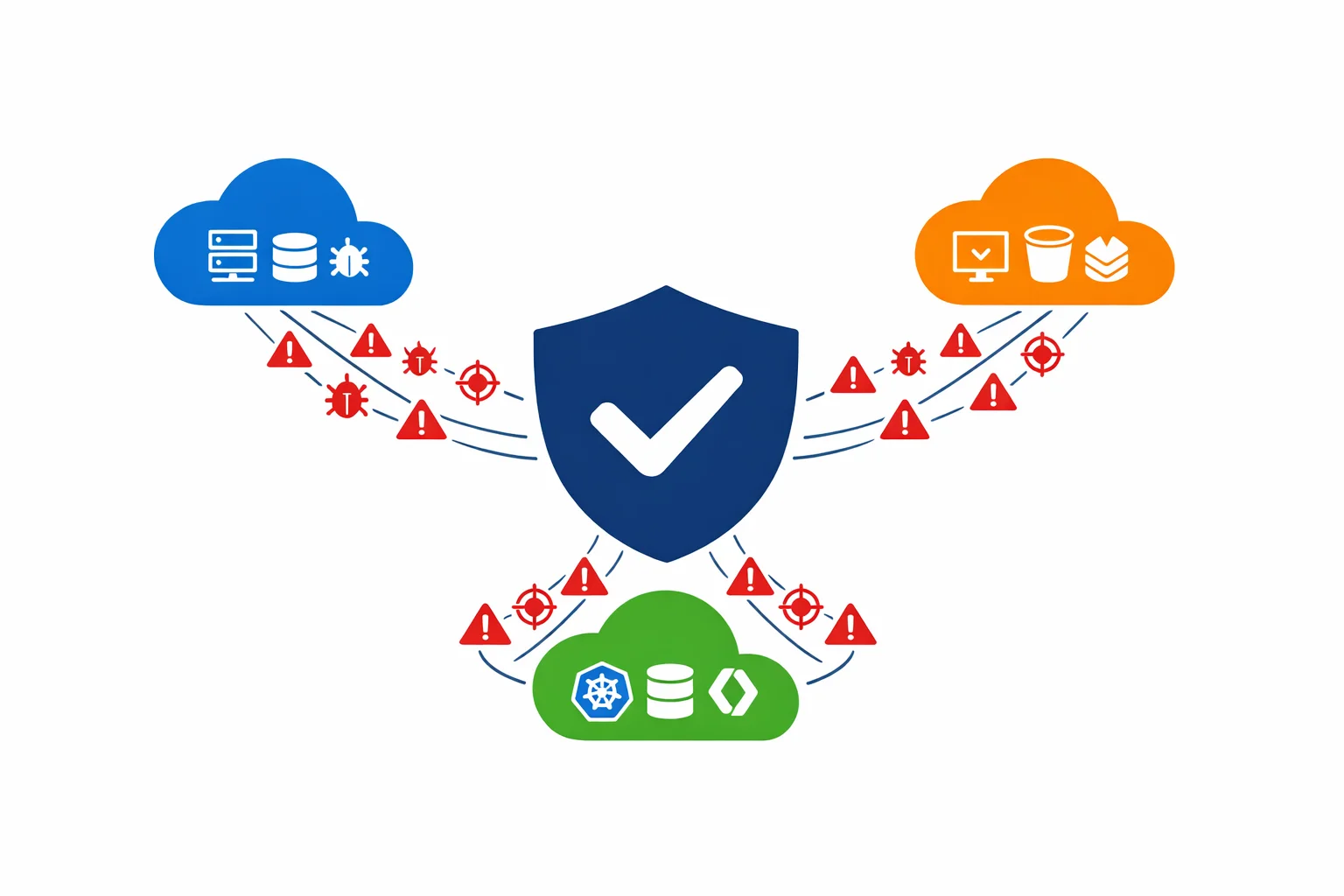
At Ignite 2021, Microsoft did something that looked like a rebrand but was actually a strategy shift. Azure Security Center and Azure Defender were merged into a single product: Microsoft Defender for Cloud. The name change dropped “Azure” for a reason: this is no longer an Azure-only tool. Defender for Cloud now provides Cloud Security Posture Management (CSPM) and workload protection across Azure, AWS, and GCP from a single pane of glass.
If you have been treating Azure Security Center as that dashboard you occasionally check when an auditor asks, it is time to reconsider.
What Actually Changed
More than a rename, three meaningful capabilities arrived. You can now connect your AWS accounts and GCP projects directly, and Defender for Cloud evaluates their configurations against security benchmarks the same way it has always done for Azure subscriptions. Secure Score now reflects the security posture of your entire multi-cloud estate in a single number, not just Azure. And Defender plans (formerly Azure Defender) extend to EC2 instances and GCP Compute Engine VMs through Azure Arc, bringing cross-cloud workload protection into the same console.
Multi-cloud support matters because most enterprises we work with aren’t single-cloud. They have production workloads on Azure, a data lake on AWS, and a machine learning platform on GCP. Before Defender for Cloud, security posture management across those environments meant buying a third-party CSPM tool. Now, Microsoft offers that capability natively - and the CSPM tier is free.
Azure docs: What is Defender for Cloud? · Connect AWS accounts · Connect GCP projects
Secure Score: Your Governance Currency
Secure Score is a percentage that reflects how many security recommendations you have addressed relative to how many apply. A subscription with a score of 72% has remediated 72% of the security issues Defender for Cloud identified.
Simple in concept, but in practice it becomes the single most useful metric for security governance across an organisation.
Defender for Cloud continuously assesses your resources against the Microsoft Cloud Security Benchmark (MCSB). Each failing recommendation carries a weight. Remediate the recommendation, your score goes up. Scores are calculated per subscription and rolled up to management group level.
For governance, Secure Score gives you a conversation with business stakeholders that doesn’t require them to understand RBAC misconfigurations or unencrypted storage accounts. “We moved from 58% to 79% this quarter” is a sentence an executive understands. “We remediated CVE-2021-XXXX on 340 VMs” is not.
For reporting, export Secure Score data to Log Analytics on a weekly cadence. Build Power BI dashboards that show score trends per subscription, per business unit. Track velocity, not just the current number, but the rate of improvement. Teams that are improving fast deserve recognition. Teams that are flat need attention.
Azure docs: Secure Score overview · Export Secure Score data
Defender Plans: Selective Workload Protection
Defender for Cloud separates into two tiers:
- CSPM (free) provides security recommendations, Secure Score, and basic asset inventory across all connected environments
- Defender plans (paid) add workload-specific threat protection that detects active attacks and suspicious behaviour
Six Defender plans matter most in enterprise environments:
- Defender for Servers covers vulnerability assessment, adaptive application controls, just-in-time VM access, and file integrity monitoring. It has the broadest coverage and the highest ROI for most organisations
- Defender for SQL detects SQL injection attempts, anomalous access patterns, and data exfiltration signals across Azure SQL, SQL on VMs, and SQL on Arc-enabled servers
- Defender for Key Vault alerts on unusual secret access patterns, serving as an early warning for credential theft scenarios
- Defender for DNS detects communication with known malicious domains, DNS tunnelling, and C2 callbacks. It requires no agent deployment because it analyses Azure DNS resolver logs
- Defender for Storage identifies malware uploads, suspicious access from Tor exit nodes, and anomalous data access patterns
- Defender for App Service detects exploitation attempts against web apps, including dangling DNS attacks
You don’t need to enable every plan on every subscription. Ask one question: where is the risk?
Architecture Pattern: Layered Enablement
Here is the pattern we recommend:
Start with CSPM everywhere (free). Enable Defender for Cloud’s free tier on every subscription in your tenant, including sandboxes and dev/test. There is no cost and no performance impact. You get Secure Score, recommendations, and asset inventory across the board. Do this at the management group level so new subscriptions inherit the policy automatically.
Next, add Defender plans on production. Enable Defender for Servers and Defender for SQL on production subscriptions. These are the workloads that face the internet, hold sensitive data, and would cause business impact if compromised.
Finally, layer in selective plans based on workload. Enable Defender for Key Vault on subscriptions that run shared platform Key Vaults. Enable Defender for DNS on subscriptions with public-facing workloads. Enable Defender for Storage on subscriptions that handle customer data uploads.
Layering like this keeps costs proportional to risk. A sandbox subscription gets free CSPM. A production subscription running customer-facing APIs gets CSPM plus Defender for Servers, SQL, Key Vault, and DNS.
Azure docs: Defender plans pricing · Enable Defender plans
Regulatory Compliance Dashboards
Defender for Cloud includes built-in regulatory compliance dashboards that map your security posture to industry standards:
- Microsoft Cloud Security Benchmark (enabled by default)
- CIS Benchmarks (Azure, AWS, GCP)
- PCI-DSS 3.2.1 / 4.0
- ISO 27001:2013
- SOC 2 Type 2
- NIST SP 800-53
Each dashboard shows which controls are passing, which are failing, and which aren’t applicable. Unlike a checkbox exercise, these dashboards pull data from actual resource configurations and produce evidence that auditors can verify.
In practice, when your auditor asks “show me that all your storage accounts enforce encryption in transit,” you don’t grep through Terraform files or run a manual script. You open the compliance dashboard, click the control, and show them a list of compliant and non-compliant resources with timestamps.
Add additional standards through Azure Policy initiatives. Custom compliance standards are supported if your organisation has internal security frameworks that don’t map neatly to a published standard.
Azure docs: Regulatory compliance dashboard · Customize compliance standards
Integration with Microsoft Sentinel
Defender for Cloud generates security alerts. Sentinel consumes them. Integration is straightforward:
- Enable the Microsoft Defender for Cloud data connector in Sentinel
- Security alerts from all connected subscriptions flow into the Sentinel workspace as
SecurityAlertrecords - Build analytics rules that correlate Defender alerts with other signals - sign-in logs, firewall logs, custom application telemetry
Together, they cover the full attack lifecycle. Defender for Cloud detects that someone is brute-forcing an Azure SQL instance. Sentinel correlates that alert with a suspicious sign-in from an unusual geography and a privilege escalation attempt in Entra ID. A single Defender alert becomes a multi-signal incident with full attack chain visibility.
Without Sentinel, Defender alerts are notifications. With Sentinel, they are investigation starting points.
Azure docs: Connect Defender for Cloud to Sentinel · Investigate incidents in Sentinel
Cost Considerations
Pricing is simple once you understand the tiers:
- CSPM (foundational) is free with no limits on subscriptions or connected cloud accounts. Enable it everywhere
- Defender for Servers Plan 2 bills per server per month and includes vulnerability assessment, adaptive controls, and 500 MB/day of free Log Analytics ingestion per node
- Defender for SQL bills per SQL instance per month
- Defender for Key Vault, DNS, Storage, and App Service bill per resource or per transaction, depending on the plan
Watch out for enabling Defender for Servers on hundreds of dev/test VMs that get spun up and torn down daily. Costs add up fast, and the security value is low. Use Azure Policy to enforce Defender plan enablement only on subscriptions tagged as production.
Even the free CSPM tier alone, with Secure Score, recommendations, and multi-cloud posture management, delivers more value than many paid third-party tools. Start there. Add Defender plans where the risk justifies the spend.
Final Thoughts
Defender for Cloud moved well past what Azure Security Center used to be. Multi-cloud CSPM, unified Secure Score, and cross-platform workload protection represent a real platform shift. For organisations running workloads across Azure, AWS, and GCP, it provides a single security posture view that previously required a separate CSPM purchase.
Enable the free tier on every subscription today. It costs nothing, it reveals your security posture, and it gives you a governance metric that the entire organisation can understand.
Fifteen minutes of management group policy configuration gets you free CSPM on every current and future subscription in your tenant. Hard to justify not doing it.
Need help with your WAF or cloud security posture?
We help Azure enterprises turn WAF from a checkbox into a tuned security layer. From log analysis and rule profiling to a fully documented, governance-ready configuration.