Terraform AzureRM 4.0: What Breaks and How to Migrate
In this article
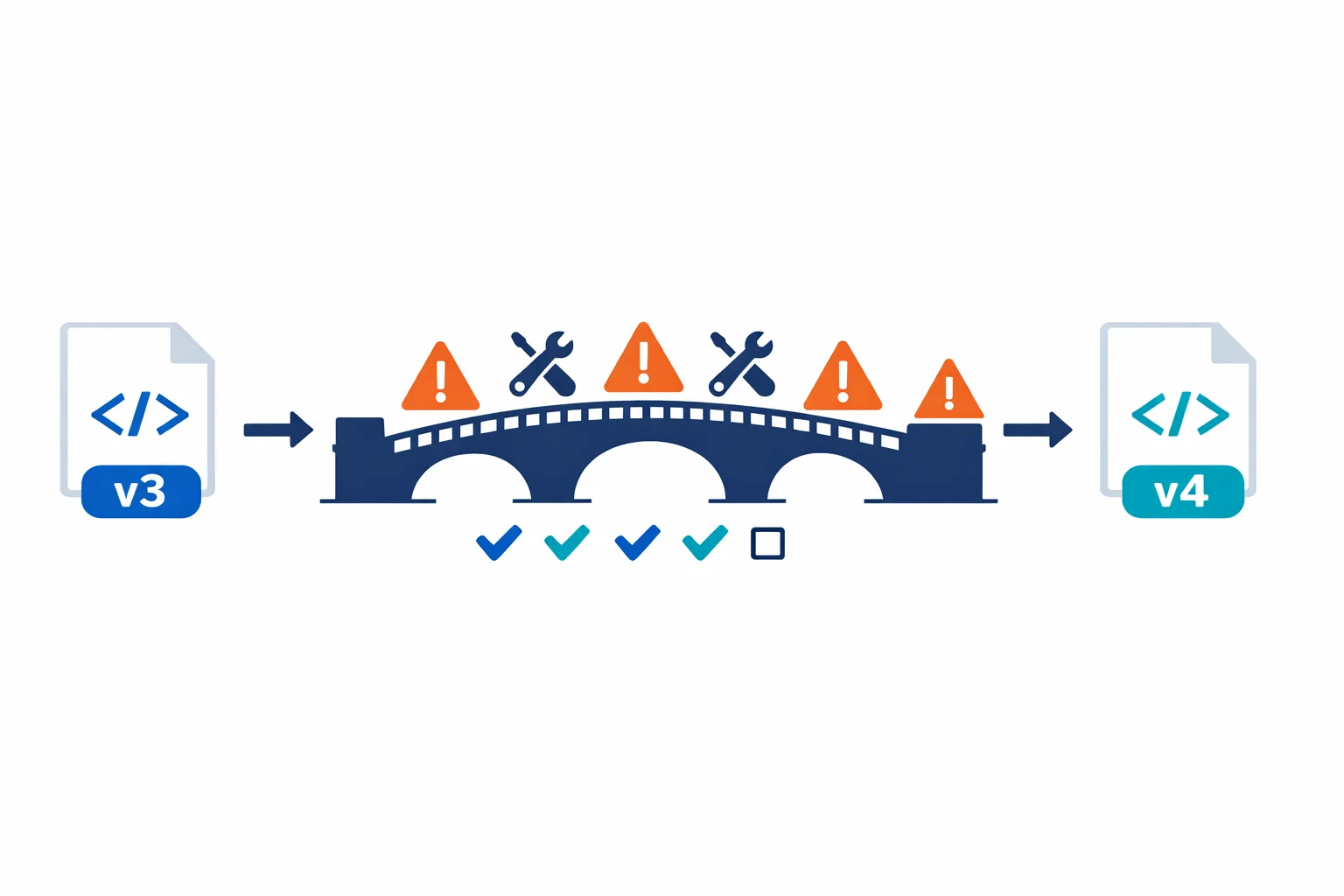
HashiCorp released the AzureRM provider 4.0 in August 2024. If you manage Azure infrastructure with Terraform, this affects you - and not in a “bump the version and move on” way. Major version bumps follow semver, which means breaking changes are explicitly allowed. Resources get renamed, attributes disappear, default values shift, and your perfectly working terraform plan starts showing unexpected diffs.
We’ve migrated several production codebases from AzureRM 3.x to 4.0 over the past few weeks. This post covers what actually breaks, what the new features are, and how to approach the migration without blowing up your state files.
Upgrade guide: AzureRM 4.0 Upgrade Guide - AzureRM Provider Changelog
Why Major Version Bumps Matter
Terraform providers aren’t like application dependencies where you can bump a minor version and run your tests. Provider major versions change the contract between your HCL code and the Azure API. A resource that existed in 3.x might be renamed, split into two, or removed entirely in 4.0.
If you pin with ~> 3.0, you won’t get 4.0 automatically; that’s by design. But every team on 3.x is accumulating migration debt. The longer you wait, the bigger the migration becomes.
Key Breaking Changes
The 4.0 release touches a lot of resources. These are the changes that hit most codebases:
Attribute Defaults Changed
This is the sneaky one. Attributes that defaulted to one value in 3.x now default to something different. Your code doesn’t change, but the behavior does:
# 3.x - public_network_access_enabled was implicitly true
resource "azurerm_storage_account" "example" {
  name                     = "stexample"
  resource_group_name      = azurerm_resource_group.rg.name
  location                 = "westeurope"
  account_tier             = "Standard"
  account_replication_type = "LRS"
}

# 4.0 - you need to be explicit about changed defaults
resource "azurerm_storage_account" "example" {
  # ... same base config ...
  public_network_access_enabled = true  # was implicit, now required
}
Provider Configuration Changes
The features block had several sub-blocks modified or removed. Some flags that lived in features{} moved to resource-level attributes:
# 3.x provider block
provider "azurerm" {
  features {
    key_vault {
      purge_soft_delete_on_destroy = true
    }
  }
}

# 4.0 - some feature flags moved to resource attributes
provider "azurerm" {
  features {}
  # key_vault purge behavior is now on the resource itself
}
Registry docs: AzureRM Provider Configuration - 4.0 Breaking Changes List
Provider-Defined Functions: The Big New Feature
The 4.0 release isn’t all breaking changes. It introduces provider-defined functions - a Terraform 1.8 feature that lets providers ship their own functions:
locals {
  parsed = provider::azurerm::parse_resource_id(
    "Microsoft.Network/virtualNetworks",
    azurerm_virtual_network.example.id
  )
}

output "vnet_name" {
  value = local.parsed.resource_name
}
This replaces the fragile split("/", resource_id) pattern that everyone was using. The provider function understands Azure resource ID structure and handles edge cases that string splitting doesn’t.
Important: provider-defined functions require Terraform 1.8 or later. Update your version constraints:
terraform {
  required_version = ">= 1.8"
  required_providers {
    azurerm = {
      source  = "hashicorp/azurerm"
      version = "~> 4.0"
    }
  }
}
Terraform docs: Provider-defined Functions - Terraform 1.8 Release
The Migration Approach
Don’t attempt a big-bang migration. This approach has worked for us across multiple production codebases:
1. Pin to 3.x and audit. Before touching the provider version, find every resource type you use and check it against the upgrade guide. Know what’s changing before you change anything.
2. Update incrementally. Work through affected resources one module or stack at a time. Start with simple attribute renames and work toward the complex ones.
3. Use moved blocks for renames. When a resource type changed but the underlying Azure resource is the same, moved blocks handle this declaratively:
moved {
  from = azurerm_some_old_resource.example
  to   = azurerm_some_new_resource.example
}
These are safer than terraform state mv because they’re code-reviewed and applied during terraform apply. Use terraform state mv only when you need to move resources between state files or split one resource into two.
4. Run plan in a branch. Bump the provider, run terraform init -upgrade, then terraform plan against every environment. Don’t apply - just read the output:
terraform init -upgrade
terraform plan -out=migration.tfplan 2>&1 | tee plan-output.txt
# Resources marked for destruction = investigate before proceeding
# In-place updates = verify the attribute changes
# No changes = this module is clean
Any resource showing “destroy and recreate” needs attention before you apply anything.
Common Gotchas
azurerm_resource_group_template_deployment - The output_content attribute changed from a JSON string to a map. If you’re parsing it with jsondecode(), remove that call - it’s already decoded.
Network security rules - NSG-related attributes changed defaults and validation rules. Inline security rules in azurerm_network_security_group need a careful plan comparison.
Boolean defaults flipped - Several booleans changed from true to false or vice versa. This is the most dangerous class of change because your code doesn’t change but the behavior does silently. Read every line of plan diff.
subscription_id required - The 4.0 provider is stricter about subscription configuration. If you relied on implicit detection, you’ll need to set it explicitly in the provider block.
Testing Strategy
Don’t trust a green terraform plan alone. For each module: run plan on 3.x first to capture a baseline, bump to 4.0 and plan again, then compare the output line by line. Apply in dev first - never migrate production without validating in a lower environment. Check the Azure portal after applying, because some attribute changes are cosmetic in the plan but meaningful in Azure.
Don’t Skip It, Don’t Rush It
Major provider upgrades are painful. The 4.0 release touches hundreds of resources, and every codebase will hit at least a few breaking changes.
But skipping the upgrade isn’t an option. The AzureRM team won’t backport new resource support to 3.x. Every new Azure service, every new API feature, lands in 4.x only. The longer you stay on 3.x, the further behind you fall, and eventually you’ll face a migration from 3.x to 5.x, which will be twice as painful.
Pin to ~> 4.0, migrate your codebase, and stay current. Set up Dependabot or Renovate to flag minor version updates. Treat provider upgrades like any other dependency maintenance: boring, necessary, and much easier when done frequently. Your future self will thank you when 5.0 drops and the migration is a one-day task instead of a one-week project.
Resources: AzureRM 4.0 Upgrade Guide - Terraform Version Constraints - AzureRM Provider GitHub
Ready to automate your infrastructure?
From Infrastructure as Code to CI/CD pipelines, we help teams ship faster with confidence and less manual overhead.