AKS in 2026 and When It Still Wins
In this article
In short: AKS has matured beyond recognition since its 2018 GA: Workload Identity, automatic node upgrades, managed Prometheus, Cilium, and the new AKS Automatic tier have shrunk the operational surface dramatically. The decision is no longer “can AKS run production workloads” but “does this workload actually need Kubernetes, and if so, which tier”. This post walks through what changed, when AKS still wins over Container Apps, and how to read the Standard, Premium, and Automatic tiers without paying for convenience you do not use.
Retirements to calendar (noted 2 August 2026): Azure Linux 2.0 node images were removed on 31 March 2026, after support ended on 30 November 2025; node pools belong on Azure Linux 3. Azure Network Policy Manager for Windows nodes retires on 30 September 2026 with no first-party replacement, so Windows network policies need a migration plan this year. Linux NPM and kubenet carry later retirement dates; check the AKS release notes before each upgrade cycle.
When we wrote about AKS going GA in 2018, the service was raw. You picked kubenet or Azure CNI, pointed kubectl at the cluster, and everything after that was your problem. Node upgrades were manual, monitoring required bolting on a third-party stack, and identity for pods meant hacking around with mounted service principal credentials. Running AKS in production was possible, but it took serious commitment from a team that understood Kubernetes internals.
Eight years later, AKS is a different service. The name is the same. The operational surface has shrunk dramatically. We still run AKS for clients who need Kubernetes, and the conversations we have in 2026 are nothing like the ones we had in 2018. The question is no longer “can AKS run production workloads?” It is “does your workload actually need Kubernetes, and if so, which AKS tier fits?”
What Changed Since GA
The list of improvements since 2018 is long, but a handful changed how AKS clusters get operated day to day.
Workload Identity replaced the old Azure AD pod identity project entirely. The previous approach required a mutating webhook and a daemon set, both fragile in practice. Workload Identity uses federated credentials between a Kubernetes service account and a Microsoft Entra managed identity, with nothing to deploy beyond the trust relationship itself. Every new cluster should use it.
Automatic node upgrades removed the most dreaded maintenance task. A cluster can now auto-upgrade the node OS image on a schedule, with maintenance windows and planned disruption budgets. In 2018, node upgrades were the top reason clusters drifted behind on patches; teams postponed them, and the drift compounded into a security liability.
Azure CNI Overlay removed much of the old subnet-exhaustion pain, but it did not eliminate network design trade-offs entirely. Classic Azure CNI assigned every pod a real VNet IP, which burned through subnets fast. Overlay gives pods addresses from an overlay network while keeping VNet integration, so a subnet no longer needs a /16 to handle three node pools.
eBPF-based networking arrived as a supported AKS dataplane option through Azure CNI Powered by Cilium. It replaces kube-proxy, handles network policy enforcement at the kernel level, and provides observability through Hubble.
KEDA is now an officially supported AKS capability rather than an awkward extra most teams had to bolt on manually. It scales workloads based on queue length, event count, or custom metrics, and combined with the cluster autoscaler ties pod scaling directly to node scaling.
The Managed Add-Ons That Changed Operations
AKS clusters used to require a parallel infrastructure stack for monitoring, secrets, and GitOps. Each piece had its own deployment, upgrade cycle, and failure mode. The managed add-on model has consolidated the most important ones.
Managed Prometheus and Managed Grafana replaced the self-hosted monitoring stack. Azure Monitor collects Prometheus metrics natively, and Managed Grafana provides dashboards without running Grafana yourself. The metrics pipeline that took a week to set up in 2018 is now a deployment-time option.
Secrets no longer have to live in Kubernetes secrets objects. The Azure Key Vault CSI driver injects secrets from Key Vault into pods as mounted volumes or environment variables, handles rotation, and mounts the current secret version directly.
GitOps via Flux ships as an AKS extension. Point it at a Git repository and Flux reconciles the cluster state to match. Configuration, namespace setup, and application deployment all live in source control. Cleaner than push-based CI/CD pipelines that run kubectl apply from a build agent.
Azure Policy for AKS brings Gatekeeper-based admission control as a managed capability. The platform team defines policies (no privileged containers, required labels, allowed registries) and the cluster enforces them. For organisations running guardrails instead of gates, this is the Kubernetes implementation of that principle.
AKS Automatic
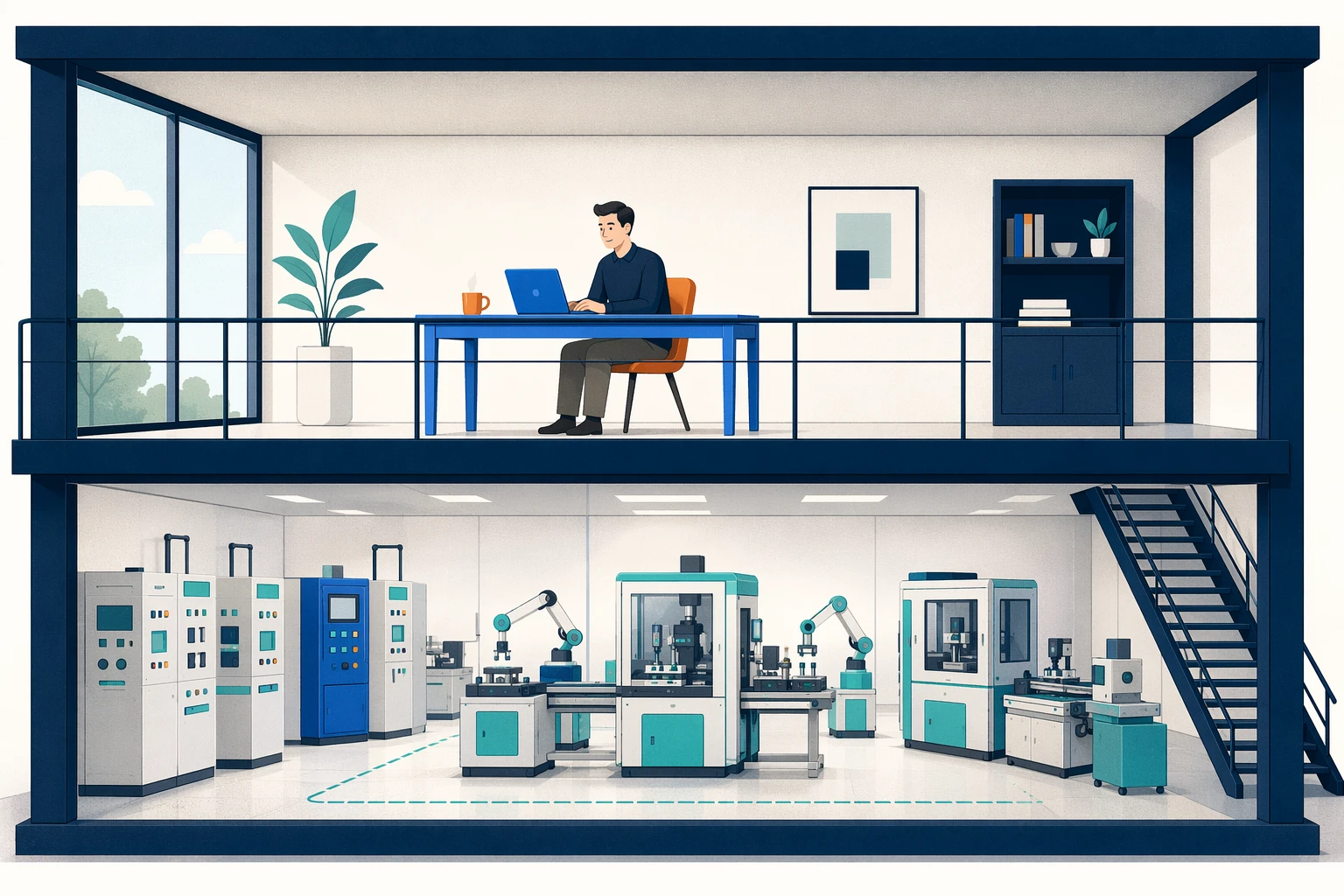
AKS Automatic is an opinionated mode that removes most day-2 decisions. Node pools are managed automatically via Node Autoprovisioning, the OS image is patched without intervention, HPA / KEDA / VPA are all enabled, monitoring ships preconfigured (Managed Prometheus, Container Insights, Grafana dashboards), Workload Identity and OIDC issuer are on by default, and Deployment Safeguards enforce Kubernetes best practices through Azure Policy. The default network stack is Azure CNI Overlay powered by Cilium, with managed NGINX ingress and a managed NAT gateway for egress.
The unique commercial wrapper is the Pod Readiness SLA: a financially-backed guarantee that 99.9% of qualifying pod readiness operations complete within 5 minutes. That covers pod scheduling and node provisioning during scale events, and it is exclusive to Automatic. The cluster always runs on Standard tier under the hood.
You still write Kubernetes manifests. You still use kubectl. The infrastructure layer underneath is almost entirely Microsoft’s responsibility. Teams that need fine-grained node pool control, custom node images, custom CNI choices, unusual networking constraints, or tighter control over the cluster operating model should stay on AKS Standard or Premium rather than AKS Automatic. For teams that resent the operational tax of running AKS just to use its API surface, Automatic removes most of that tax.
AKS Tiers and What You Get
AKS now has three pricing tiers, and the differences matter more than the price suggests.
The Free tier gives you a managed control plane with best-effort uptime, no SLA. Same Kubernetes API, same add-ons, same node pool capabilities, but no financially backed uptime commitment. Fine for development and testing, and supports up to 1,000 nodes despite the “free” framing.
Standard adds an uptime SLA: 99.95% with availability zones, 99.9% without. For any production workload where downtime has a business cost, Standard is the minimum. It also raises the supported cluster size to 5,000 nodes and is the only tier compatible with the AKS Automatic SKU.
Premium adds Long-Term Support for Kubernetes versions, with 24 months of maintenance on a frozen version instead of the standard community cadence. Premium makes sense for regulated environments that cannot upgrade Kubernetes on the standard timeline, or for enterprises that need extended maintenance windows on a fixed version.
One common misconception worth heading off: the Istio-based service mesh add-on is not a Premium-only feature. It is available on every tier, including Free, as a separate enabled add-on. Tier choice and service mesh choice are independent decisions.
When AKS Still Wins Over Container Apps
We wrote a decision framework for Container Apps vs AKS that still holds, but the comparison has sharpened. Container Apps has matured. AKS has simplified. The overlap is larger than it was in 2022, and the decision depends on where your workload falls.
AKS is still the right platform when you need custom networking beyond what Container Apps exposes. Cilium network policies, Calico for microsegmentation, custom CNI plugins, or advanced traffic shaping all require the Kubernetes API. Container Apps gives you a VNet with ingress and egress controls, but the network layer is not yours to configure.
GPU workloads land on AKS when the requirements go beyond what serverless can provide. Container Apps now has serverless GPU support for NVIDIA T4 and A100 with scale-to-zero and per-second billing, which covers a real chunk of the “I want to run an inference endpoint” use case. AKS is still the answer when you need multi-GPU per pod, fractional GPU sharing, custom device plugins, GPU operator, custom NVIDIA driver versions, or specific affinity and topology rules that the Container Apps serverless model does not expose.
Complex scheduling requirements (node affinity, tolerations, topology spread constraints, priority classes) only exist in Kubernetes. If your workload needs to pin pods to specific node types, spread across fault domains, or preempt lower-priority work, AKS is the answer.
Multi-container pods with shared volumes, init containers, and sidecar patterns are native Kubernetes constructs. Container Apps supports sidecars, but the pod spec is limited compared to what Kubernetes offers.
Stateful workloads that need persistent volumes, StatefulSets with stable network identities, or operator-managed databases (CockroachDB, PostgreSQL operators, Redis clusters) belong on AKS. Container Apps was not designed for stateful orchestration.
And the simplest signal: if your team already knows Kubernetes, already has manifests, already has a GitOps pipeline, and the workloads are complex enough to justify the platform, AKS is the natural home.
When Container Apps Wins
Container Apps wins when the workload is HTTP APIs, event-driven processors, or background jobs, and the team does not have Kubernetes expertise. Scale-to-zero on consumption profiles, built-in Dapr integration, revision-based deployments, and zero cluster management make Container Apps the better starting point for greenfield microservices.
The test: if your AKS cluster has one node pool, no custom operators, no CRDs, no network policies, and a single NGINX ingress controller, you are paying the Kubernetes operational tax for capabilities you are not using. That workload belongs on Container Apps.
The Operational Reality
AKS is easier than it was in 2018. It is not easy. A production AKS cluster still requires someone who watches node pool health, plans Kubernetes version upgrades, monitors pod resource requests versus actual consumption, and understands networking well enough to troubleshoot DNS failures and connectivity issues.
The platform team question is non-negotiable. Do not run AKS without a team that owns the cluster as a product. Developers should deploy workloads to namespaces. The platform team should own the cluster lifecycle, networking, observability stack, and policy enforcement. If nobody owns the cluster, it will drift into an insecure, outdated state within two upgrade cycles.
Node Pool Strategy
Node pool design is one of the decisions that separates a well-run AKS cluster from a problematic one.
Separate system and user node pools. System pools run Kubernetes system components (CoreDNS, metrics-server, kube-proxy). User pools run application workloads. Mixing them creates noisy-neighbour problems where a misbehaving application pod can starve system components.
Spot instances for batch and fault-tolerant workloads reduce cost significantly. KEDA can scale spot-backed node pools for queue processing jobs that tolerate eviction. The savings are substantial for workloads that can restart gracefully.
GPU node pools for AI inference workloads should be isolated, scaled independently, and tagged with taints so that only GPU-requiring pods schedule onto them. GPU VMs are expensive. Letting general workloads land on GPU nodes is a fast path to a surprising bill.
Where This Leaves AKS
AKS in 2026 is a mature, well-integrated Kubernetes platform. The gap between AKS and self-managed Kubernetes is enormous. The gap between AKS and simpler platforms like Container Apps is real but narrower than it used to be. AKS is easier to run than it was in 2018, but it still rewards teams that treat the cluster as a platform product rather than just another deployment target.
The AKS decision is still partly an economic one. Automatic reduces operational overhead but Standard or Premium may be the better fit when you already have mature cluster operations, need tighter control, or want to avoid paying for convenience you do not actually use. Idle Standard or Premium control-plane charges, GPU node pool pricing, and capacity reservations all show up on the bill long before the workload itself does.
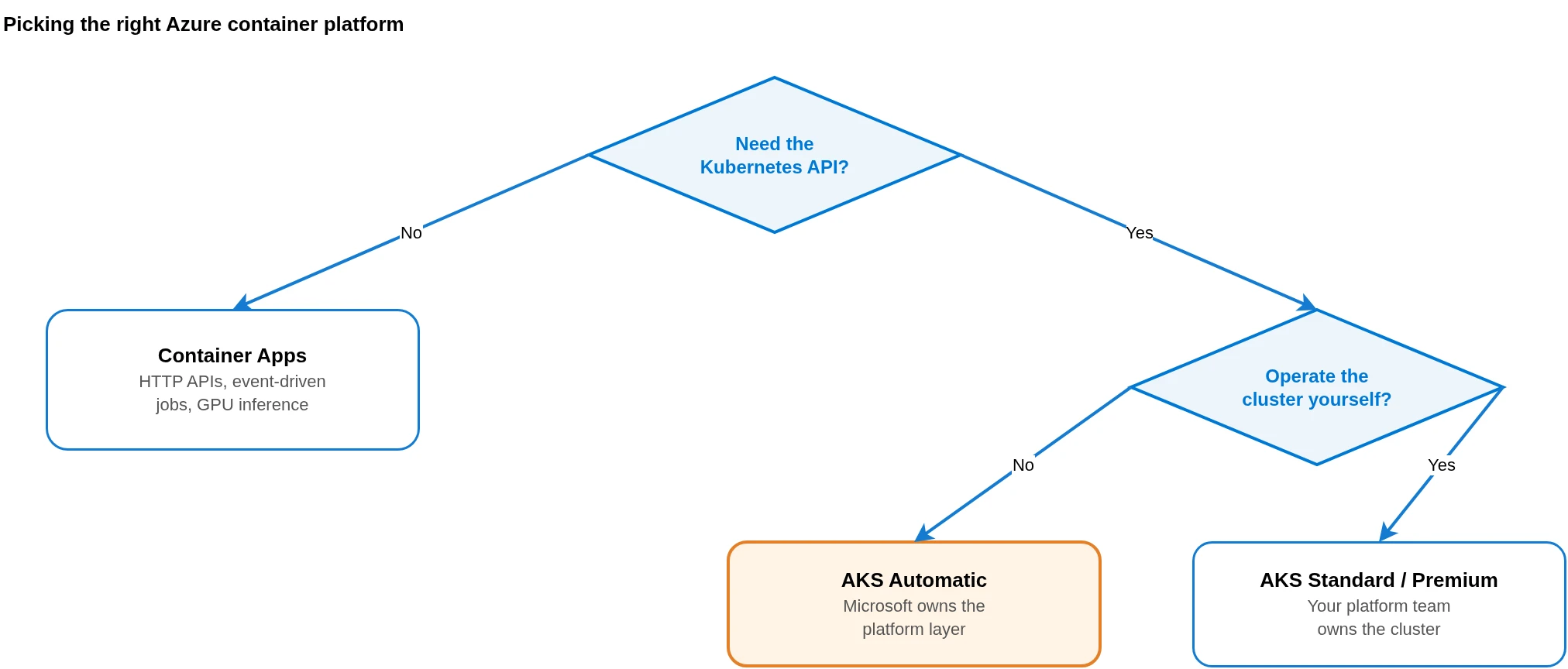
Pick AKS when you need the Kubernetes API and have a team to operate the cluster. Pick AKS Automatic when you need the Kubernetes API but want Microsoft to handle the infrastructure. Pick Container Apps when the Kubernetes API is not a requirement and operational simplicity matters more.
The worst outcome is running AKS because it felt like the “serious” choice, and then spending more time operating the cluster than building the product it hosts. We have seen that pattern too many times. The platform should serve the workload.
For teams building their broader Azure landing zone architecture, the container platform decision feeds into networking, identity, policy, and cost. Get the platform choice right first. The architecture follows from there.
Related: Container Apps vs AKS Decision Framework the long-form comparison · Azure Landing Zones in 2026 where the container platform decision lands in the broader architecture · Azure Policy Guardrails Developers Don’t Hate the policy layer that Deployment Safeguards builds on · Your Developers Don’t Need More Tools. They Need a Paved Path the platform-as-a-product framing.
Looking for Azure architecture guidance?
We design and build Azure foundations that scale: landing zones, networking, identity, and governance tailored to your organisation.
More from the blog
AKS Just Went GA: What Enterprise Teams Need to Know Before Going All-In
KEDA Graduates CNCF and What It Means for Event-Driven Kubernetes Autoscaling